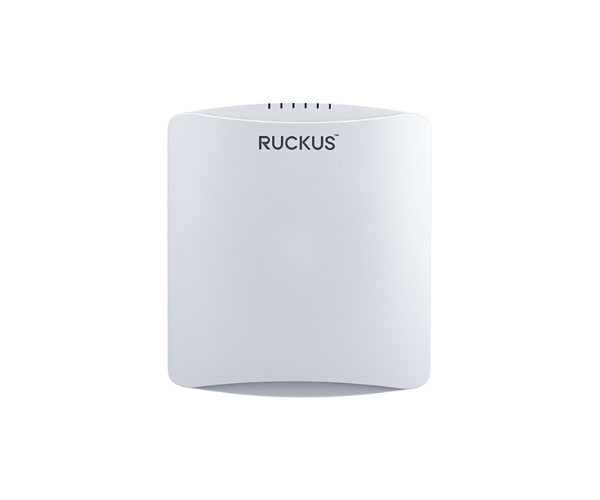
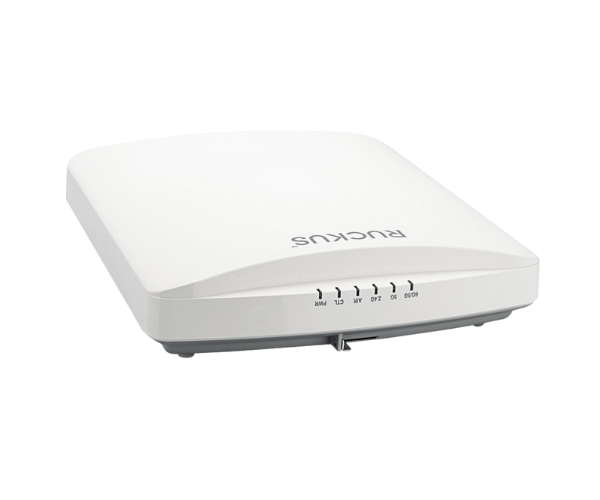
Introduction of RUCKUS R760 Indoor Access Point
The
RUCKUS R760 Indoor Access Point is engineered to deliver exceptional wireless performance and reliability in various indoor environments. This high-performance access point is ideal for businesses, educational institutions, and public venues seeking to provide seamless connectivity. With advanced technology and user-friendly features, the
RUCKUS R760 ensures that you experience high-speed internet without interruptions.
Why Choose the RUCKUS R760 Indoor Access Point?
When you choose the
RUCKUS R760 Access Point, you invest in a reliable solution that offers high-speed connectivity, efficient coverage, and a seamless user experience. This access point's Wi-Fi 6 capabilities ensure that it meets the demands of modern applications and multiple users. Whether you are streaming high-definition videos, conducting video conferences, or using bandwidth-intensive applications, the
RUCKUS R760 keeps your network running smoothly.
User Experience
Users have reported excellent performance with the
RUCKUS Indoor Access Point. Its ability to handle multiple devices simultaneously without compromising speed or reliability has made it a favorite in various settings. Many appreciate the ease of setup and management, along with the ability to monitor network performance in real time. The access point has proven to be an effective solution for enhancing connectivity in both small and large spaces.
Detailed Breakdown of Features
- Wi-Fi 6 Technology: Delivers enhanced speeds and greater capacity, allowing for simultaneous connections of multiple devices without compromising performance.
- Dual-Band Support: Offers flexibility by utilizing both the 2.4 GHz and 5 GHz frequency bands for optimal performance.
- High Maximum Data Rate: Achieves up to 4.8 Gbps, ensuring a seamless experience even with high-demand applications.
- 8x8 Multi-User MIMO: Enhances network efficiency by allowing multiple users to connect without slowing down.
- Power Over Ethernet (PoE): Simplifies installation by powering the device through the Ethernet cable.
- Robust Security Features: Ensures that your network remains secure with advanced encryption protocols.
- Flexible Mounting Options: Easily mount on ceilings or walls to suit your space and coverage needs.
- Real-Time Monitoring: Provides insights into network performance and user activity for better management.
- Scalable Solution: Ideal for both small offices and large enterprises, easily integrating into existing infrastructure.
- Durable Design: Built to withstand various indoor conditions, ensuring longevity and reliability.
Installation Steps
- Select Mounting Location: Choose a central location for optimal coverage and minimal interference.
- Prepare the Surface: Ensure the mounting surface is clean and free from debris.
- Install the Access Point: Utilize the provided mounting hardware to firmly secure the access point to either the wall or ceiling.
- Connect Ethernet Cable: Run a network cable from the router or switch to the access point.
- Connect Power: Use a Power over Ethernet (PoE) switch to supply power to the access point.
- Configure Settings: Access the management interface via a web browser to configure network settings according to your needs.
Where It Can Be Used?
The
RUCKUS Indoor Access Point is versatile and can be used in various locations, including:
- Corporate offices
- Educational institutions
- Retail stores
- Hospitals and healthcare facilities
- Convention centers
- Libraries