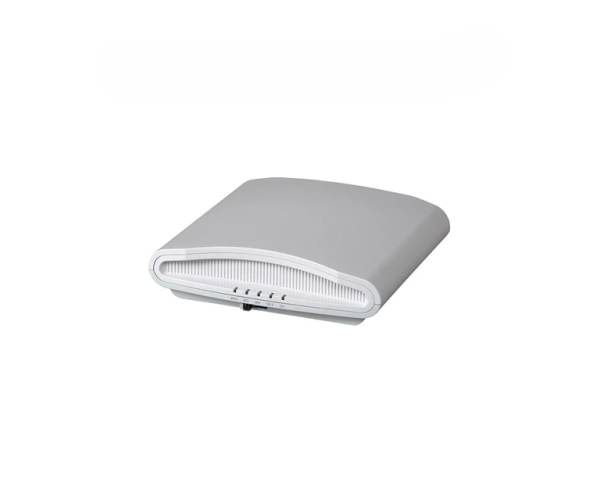
Buy the Ruckus R710 ZoneFlex Indoor Access Point at the Best Price in Bangladesh
The
Ruckus R710 ZoneFlex Indoor Access Point is engineered for high-performance wireless connectivity, making it an excellent choice for medium to large indoor environments. It leverages advanced technology to deliver reliable and fast Wi-Fi connections for numerous users, ensuring a seamless experience in demanding settings.
Key Features:
- Dual-Band Operation: Supports both 2.4 GHz and 5 GHz frequencies.
- BeamFlex+ Technology: Optimizes signal quality and range by dynamically adjusting antenna patterns.
- High Client Capacity: Manages a large number of simultaneous connections efficiently.
- Advanced Security Protocols: WPA/WPA2 support ensures a secure network environment.
- Easy Deployment and Management: Intuitive configuration through the Ruckus management platform.
Detailed Breakdown of Features
The
Ruckus R710 ZoneFlex Indoor Access Point stands out with its impressive set of features:
- Dual-Band Operation: The R710 offers simultaneous connectivity on both 2.4 GHz and 5 GHz bands, allowing users to choose the best frequency for their needs.
- BeamFlex+ Technology: This innovative feature enhances coverage by using multiple antennas to focus the signal in the direction of connected devices, reducing dead zones.
- High Client Capacity: Designed to support a large number of devices, the R710 is perfect for high-density environments such as offices, schools, and public venues.
- Advanced Security Protocols: With support for WPA and WPA2 security standards, the R710 protects your data and provides a secure networking environment.
- Easy Deployment and Management: The Ruckus management platform simplifies the installation process and ongoing management, making it accessible for users with varying technical expertise.
User Experience
Users of the
Ruckus R710 ZoneFlex Indoor Access Point consistently report excellent performance and reliability. The ability to connect multiple devices without lag ensures that employees and guests remain productive. Additionally, the easy setup and management features enhance user satisfaction, making the R710 a favored choice in various settings.
Why Choose the Ruckus R710 ZoneFlex Indoor Access Point?
Selecting the
Ruckus R710 ZoneFlex Indoor Access Point means choosing a robust solution for your wireless connectivity needs. Its combination of dual-band operation, BeamFlex+ technology, and high client capacity makes it ideal for busy environments. Whether for a corporate office, educational institution, or large public space, the R710 delivers exceptional performance and reliability.
Installation Steps
Installing the
Ruckus R710 ZoneFlex Indoor Access Point is straightforward. Follow these simple steps:
- Choose the Location: Select an optimal location for coverage.
- Mount the AP: Use the included mounting brackets to secure the R710 to the wall or ceiling.
- Connect Power: Utilize PoE to connect the access point to your network.
- Configure Settings: Access the Ruckus management portal to set up your network preferences.
- Test Connectivity: Ensure all devices can connect and verify network performance.
Uses of the Ruckus R710 ZoneFlex Indoor Access Point
The
Ruckus R710 ZoneFlex Indoor Access Point is versatile and can be used in various settings, including:
- Corporate Offices: Provide reliable connectivity for employees and clients.
- Educational Institutions: Enhance classroom learning experiences with seamless internet access.
- Healthcare Facilities: Support critical applications and ensure patient connectivity.
- Public Venues: Offer high-speed Wi-Fi in places like malls and airports.
FAQs
Q1: What is the coverage area of the Ruckus R710?
A1: The coverage area typically spans up to 2,500 square feet, depending on the environment.
Q2: Can the R710 connect to older Wi-Fi devices?
A2: Yes, it is backward compatible with earlier Wi-Fi standards.
Q3: How many devices can the Ruckus R710 support?
A3: The R710 can efficiently support over 100 devices simultaneously.
Q4: Is installation complicated?
A4: No, the installation process is simple and can be completed quickly.