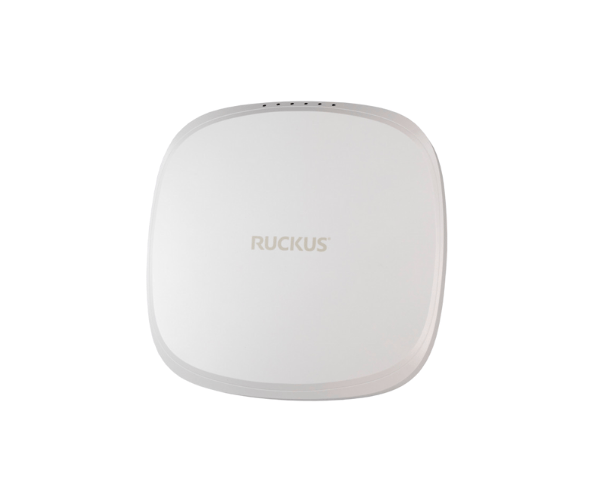
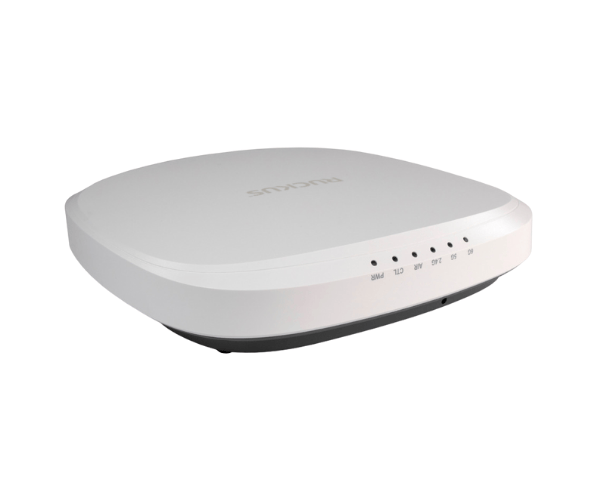
Introduction of RUCKUS R560 Indoor Access Point
The
RUCKUS R560 Indoor Access Point delivers robust connectivity and exceptional performance, designed specifically for indoor environments. It seamlessly supports high-density deployments in various settings, including offices, schools, and healthcare facilities. With its advanced features, the RUCKUS R560 provides reliable Wi-Fi connectivity, ensuring users experience fast and stable internet access. Whether you're setting up a new network or upgrading an existing one, the
RUCKUS Indoor Access Point is the ideal choice for any indoor environment.
Why Choose the RUCKUS R560 Indoor Access Point?
Opt for the
RUCKUS R560 Access Point for its unmatched performance and reliability in high-density environments. This access point's advanced technologies ensure users enjoy seamless connectivity, enabling smooth streaming and productivity. Its dual-band capabilities and high throughput make it a valuable addition to any indoor network setup. By choosing the RUCKUS R560, you invest in a solution that prioritizes performance and user satisfaction.
User Experience
Users consistently praise the
RUCKUS R560 Access Point for its reliable performance and ease of use. Many report faster connection speeds and fewer interruptions, even in crowded spaces. The access point's design simplifies installation and management, making it a favorite among IT professionals. Users appreciate the ability to customize settings through the management interface, allowing them to optimize performance based on specific needs. Overall, the RUCKUS R560 enhances the indoor connectivity experience.
Detailed Breakdown of Features
- Dual-Band Operation: Offers both 2.4GHz and 5GHz bands for enhanced performance.
- High Throughput: Supports data rates up to 1.7 Gbps for fast internet access.
- 4x4 MIMO Technology: Improves coverage and capacity by using multiple antennas.
- Power Over Ethernet (PoE): Simplifies installation with a single cable for power and data.
- Compact Design: Blends seamlessly into various indoor environments.
- Multiple Security Protocols: Ensures data protection with WPA2 and WPA3 support.
- Easy Installation: User-friendly design facilitates quick setup.
- Versatile Usage: Ideal for schools, offices, and healthcare settings.
- Management Interface: Offers straightforward configuration and monitoring options.
-
Durable Design: Engineered to endure the challenges of everyday use.
Installation Steps
- Choose the Location: Select a suitable location for the access point, ensuring optimal coverage.
- Install the Access Point: Utilize the provided hardware to firmly secure the access point to either the wall or ceiling.
- Connect Power: Utilize a Power over Ethernet (PoE) switch to supply power and connect the access point to the network.
- Configure the Settings: Access the management interface to set up the network parameters according to your needs.
- Test Connectivity: Verify that the access point is functioning correctly and providing stable Wi-Fi connectivity.
Where It Can Be Used?
The
RUCKUS Indoor Access Point is versatile and can be used in a variety of indoor environments, including:
- Offices: Ideal for supporting multiple devices and high-density workspaces.
- Schools: Provides reliable connectivity for students and staff in classrooms and common areas.
- Healthcare Facilities: Ensures consistent internet access for medical devices and patient use.
- Retail Spaces: Enhances customer experience with seamless Wi-Fi connectivity.