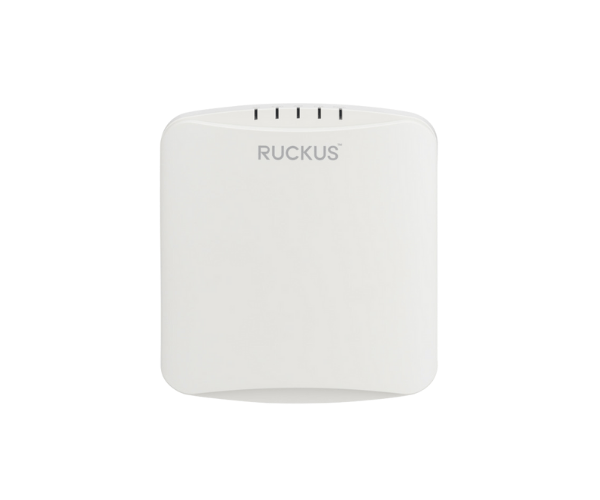
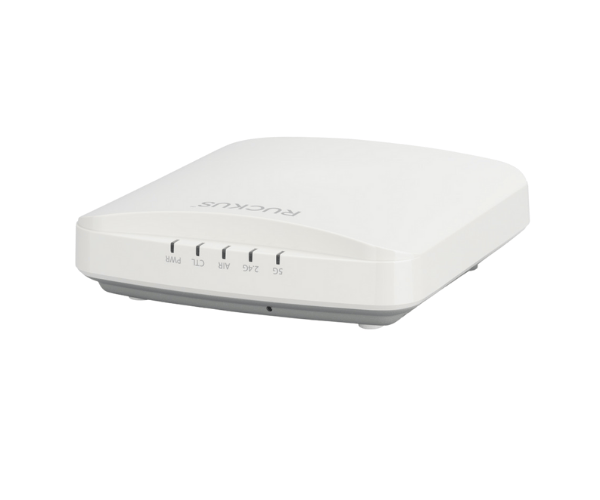
Introduction of RUCKUS R350 Indoor Access Point
The
RUCKUS R350 Indoor Access Point is designed to deliver reliable and high-performance Wi-Fi connectivity in various indoor environments. It is perfect for schools, offices, and public spaces where seamless connectivity is essential. With its advanced features and robust design, the RUCKUS R350 ensures that users experience uninterrupted internet access, enhancing productivity and satisfaction.
Why Choose the RUCKUS R350 Indoor Access Point?
Choosing the
RUCKUS R350 Access Point guarantees superior performance and extensive coverage for your network. Its Wi-Fi 6 technology provides faster speeds and supports a higher number of connected devices. This access point is built for settings that require consistent performance and high efficiency. With its durable construction and advanced security features, the RUCKUS R350 is the perfect solution for enhancing your wireless connectivity.
User Experience
Users of the
RUCKUS R350 Indoor Point have reported exceptional experiences in terms of both connectivity and ease of use. The access point's ability to handle multiple devices without a drop in performance has been particularly appreciated in busy environments. Additionally, the quick and simple installation process has made it a favorite among IT professionals. With excellent coverage and minimal dead zones, the RUCKUS R350 enhances productivity and user satisfaction.
Detailed Breakdown of Features
- Wi-Fi 6 Technology: Wi-Fi 6 technology delivers higher speeds and enhanced capacity, enabling support for a greater number of devices at the same time.
- Dual-band Connectivity: Operates on both 2.4 GHz and 5 GHz frequencies for optimal performance.
- Power over Ethernet (PoE): Streamlines the setup process by enabling both power and data transmission through a single cable.
- Robust Security: Protects your network with advanced security protocols.
- Easy Management: Integrates seamlessly with RUCKUS SmartZone for simplified network management.
- Durable Design: Built to withstand the demands of various indoor environments.
- Multiple Mounting Options: Flexible installation on walls or ceilings to suit different settings.
- High Throughput: Ensures fast and reliable connections for demanding applications.
- User-Friendly Interface: Simplifies setup and management for end users.
- Advanced Antenna Technology: Provides better coverage and performance in dense environments.
Installation Steps
- Gather Your Tools: Ensure you have all necessary tools for installation, including a screwdriver and an Ethernet cable.
- Select a Location: Choose an optimal location for the access point, ideally in a central position for better coverage.
- Install the Access Point: Securely attach the access point to the wall or ceiling using the provided mounting hardware.
- Power the Device: Connect the access point to a Power over Ethernet (PoE) switch for power supply.
- Establish Network Connection: Link the access point to your network switch with an Ethernet cable.
- Configure the Settings: Access the management interface to set up the network parameters according to your requirements.
Where It Can Be Used?
The
RUCKUS Indoor Access Point adapts well to various settings, including:
- Educational institutions (classrooms and auditoriums)
- Corporate offices
- Retail environments
- Public libraries
- Healthcare facilities
- Conference centers
- Hospitality venues (hotels and restaurants)