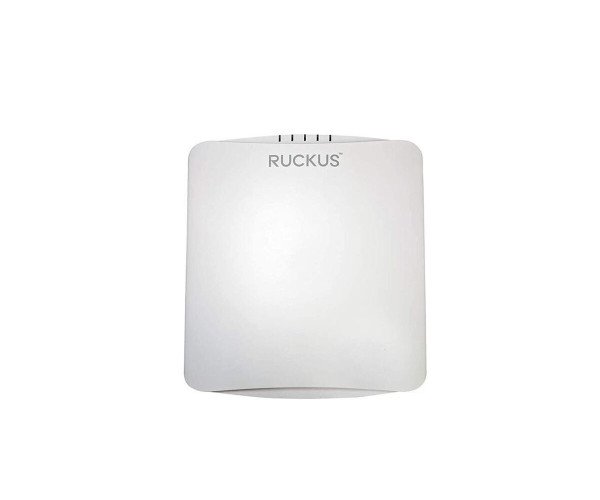
Buy the RUCKUS H550 Indoor Access Point at the Best Price in Bangladesh
The
RUCKUS H550 Indoor Access Point is designed for high-performance wireless connectivity in various indoor environments. It combines advanced technology with an intuitive design, making it ideal for offices, schools, and public spaces. With robust security and exceptional coverage, the H550 ensures seamless connectivity for all users.
Key Features:
- Wi-Fi 6 Technology: Delivers faster speeds and increased capacity.
- BeamFlex Technology: Enhances signal coverage and reduces interference.
- Multi-User MIMO (MU-MIMO): Supports multiple devices simultaneously.
- Integrated Security Features: Protects your network with robust encryption.
- Flexible Mounting Options: Easy installation in any environment.
Detailed Breakdown of Features
The
RUCKUS H550 Indoor Access Point boasts several standout features that elevate its performance:
- Wi-Fi 6 Technology: Enjoy faster data rates and improved efficiency, especially in high-density environments.
- BeamFlex Technology: This unique feature allows the H550 to dynamically adjust its antennas for optimal signal strength and quality, reducing dead zones.
- Multi-User MIMO (MU-MIMO): This allows the access point to communicate with multiple devices at once, significantly enhancing user experience.
- Integrated Security Features: With WPA3 encryption and advanced security protocols, your data remains safe and secure.
- Flexible Mounting Options: The H550 can be easily mounted on walls or ceilings, ensuring a clutter-free setup.
User Experience
Users consistently report a smooth and reliable connection with the
RUCKUS H550 Indoor Access Point. Its ability to handle multiple devices without lag makes it a preferred choice for busy environments. Moreover, its sleek design blends seamlessly into any décor, further enhancing user satisfaction.
Why Choose the RUCKUS H550 Indoor Access Point?
Choosing the
RUCKUS H550 Indoor Access Point means investing in a future-proof solution for your wireless needs. Its combination of Wi-Fi 6 technology, exceptional coverage, and robust security makes it an ideal choice for any indoor setting. Whether for a small office or a large public venue, the H550 meets and exceeds connectivity expectations.
Installation Steps
Installing the
RUCKUS H550 Indoor Access Point is straightforward. Follow these simple steps:
- Choose the Location: Identify the ideal spot for optimal coverage.
- Mount the AP: Use the provided brackets to securely mount the H550 to the wall or ceiling.
- Connect Power: Utilize PoE to connect the access point to your network.
- Configure Settings: Access the RUCKUS management portal to configure your network settings.
- Test Connectivity: Ensure all devices can connect and perform a speed test.
Uses of the RUCKUS H550 Indoor Access Point
The
RUCKUS H550 Indoor Access Point is versatile and can be used in various settings, including:
- Office Spaces: Provide reliable connectivity for employees and guests.
- Educational Institutions: Enhance classroom learning experiences with seamless internet access.
- Healthcare Facilities: Support critical applications and patient connectivity.
- Public Venues: Deliver high-speed internet to visitors in places like airports and malls.
FAQs:
Q1: What is the coverage area of the RUCKUS H550?
A1: The coverage area can vary, but typically it provides excellent connectivity for up to 1,500 square feet.
Q2: Can the H550 connect to older devices?
A2: Yes, it is backward compatible with previous Wi-Fi standards.
Q3: How many devices can the RUCKUS H550 support?
A3: It can efficiently support over 100 devices simultaneously.
Q4: Is installation complicated?
A4: No, the installation process is simple and can be completed in just a few steps.