ALL Categories
Your Cart
Stock: In Stock Stock: In Stock
    • Brand: Dell
    • Model: 406-BBDY Emulex LPE 12002
    • Ports: 2 Fibre Channel Ports
    • Speed: 8Gbps per port
    • Interface: PCIe 2.0 x8
WhatsApp Inquiry
Stock: In Stock Stock: In Stock
    • Brand: Dell
    • Model: 540-BBEB Emulex LPE 12000
    • Ports: 1 Fibre Channel Port
    • Speed: 8Gbps
    • Interface: PCIe 2.0 x8
WhatsApp Inquiry
Stock: In Stock Stock: In Stock
    • Brand: Dell
    • Model: 540-BBBZ QLogic 57800
    • Ports: 2 x 10GbE Base-T
    • Speed: 10Gbps per port
    • Interface: PCIe 3.0 x8
WhatsApp Inquiry
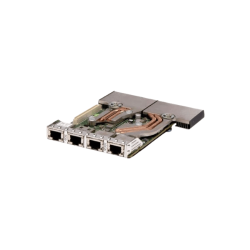
Stock: In Stock Stock: In Stock
    • Form Factor: OCP NIC 3.0
    • Ports: 4 × 10 GbE RJ‑45
    • Speed Support: 1/2.5/5/10 GbE
    • Chipset: Broadcom BCM57454
WhatsApp Inquiry
Stock: In Stock Stock: In Stock
    • Network Interface: 2 × 10GbE RJ-45 (Base-T)
    • Expansion Slot : 2 × 10GbE RJ-45 (Base-T)
    • Chipset: Broadcom BCM57416
    • Interface Type: PCIe 3.0 x8
WhatsApp Inquiry
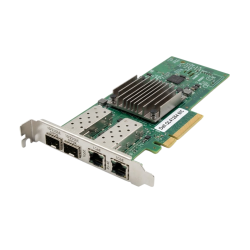
Stock: In Stock Stock: In Stock
    • Chipset: Broadcom BCM57454
    • Ports: 4 × 10GbE RJ-45 (Base-T)
    • Interface: PCIe 3.0 x16
    • Data Transfer Rate: Up to 10 Gbps per port
WhatsApp Inquiry
Showing 1 to 6 of 6 (1 Pages)

Dell Network Module and Card Price in Bangladesh


Original-quality Dell network module and card available now at Crystal Vision Solutions at the lowest price in Bangladesh. Order the best quality network module now.

Importance of Using Network Modules and Cards

Network modules and cards are essential components in modern networking environments. They play a vital role in expanding and enhancing network capabilities, especially in enterprise settings. These devices provide seamless connectivity between servers, storage, and networking devices, ensuring fast and reliable data transfer. Key benefits include:
  • Improved Performance: They increase network speed and bandwidth, allowing more efficient data handling.
  • Scalability: Network modules enable organizations to expand their networks easily by adding more interfaces without changing the core architecture.
  • Flexibility: They offer support for various network protocols, helping organizations manage complex networking environments.
  • Reduced Downtime: Many network cards are equipped with features like redundancy and failover capabilities, minimizing disruptions in case of hardware failure.
By using high-quality network modules and cards, companies can ensure optimal network performance, security, and reliability.

Where Network Modules and Cards Can Be Used

Network modules and cards are used in various industries and applications, including:
  • Data Centers: To handle high-speed data transmission between servers and storage units.
  • Enterprise Networks: For scalable and secure connectivity across office locations and branch sites.
  • Telecommunications: To enable efficient network traffic handling and communication across telecom infrastructure.
  • Cloud Computing: To manage large volumes of data and ensure high availability and performance in cloud-based services.
  • Industrial IoT: For real-time data transmission between IoT devices and control centers.
Wherever high-performance, reliable connectivity is required, network modules and cards provide the backbone of these systems.

How to Use a Network Module

Using a network module is relatively simple and involves the following steps:
  1. Identify Compatibility: Make sure the network module is compatible with your server or networking device.
  2. Turn Off the Device: Power down the server or device where you want to install the module to avoid any electrical damage.
  3. Insert the Network Module: Open the device’s slot (often PCIe for servers) and carefully insert the network module into the corresponding slot.
  4. Secure the Module: Once inserted, ensure the module is securely fastened, typically with screws or clips.
  5. Connect the Network Cables: Attach the appropriate network cables (such as Ethernet or fiber optics) to the module’s ports.
  6. Turn on the Device: Power the device back on and check that the network module is recognized in the system settings.
  7. Install Drivers (if required): Ensure any required drivers are installed so the network module can function correctly.
  8. Configure Network Settings: Set up the appropriate network settings such as IP address, gateway, and DNS for the module.
Once installed and configured, the network module should be operational, improving network connectivity and performance.

Available Dell Network Modules and Cards at Crystal Vision Solutions

At Crystal Vision Solutions, we offer a wide range of Dell network modules and cards that provide robust performance for enterprise applications. Some of the available models include:
  • Dell 57810S Dual-Port 10GbE Network Card
  • Dell Intel X710 Quad-Port 10GbE Network Module
  • Dell QLogic QLE2562 Dual-Port 8Gb Fibre Channel HBA
  • Dell Broadcom 5720 Dual-Port Gigabit Ethernet Network Card
  • Dell 57800S Quad-Port 10GbE Network Daughter Card
Our collection of Dell network modules is designed to meet the needs of modern data centers, offering scalability, performance, and flexibility. Whether you need high-speed Ethernet or fiber Channel solutions, we have the right options for you.

What Is the Price of Dell Network Modules in Bangladesh?

The price of Dell network modules in Bangladesh varies depending on the specific model, features, and specifications. On average, prices range from BDT 20,000 to BDT 100,000 or more for higher-end models. For the latest pricing and availability of Dell network modules and cards, feel free to contact Crystal Vision Solutions. We provide competitive prices and reliable products, ensuring that your networking infrastructure is equipped with the best hardware.