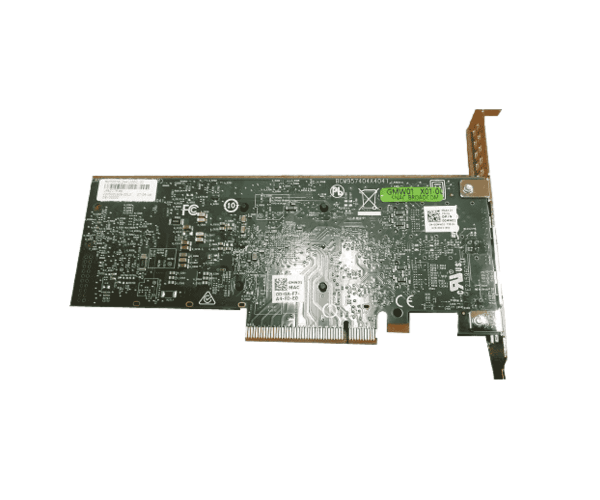
About the Dell GRT2K Broadcom BCM57416 Dual Port 10Gb Base‑T PCIe Adapter
The Dell GRT2K Broadcom BCM57416 Dual Port 10Gb Base‑T PCIe Adapter is a high-speed server-grade network interface card. Equipped with two copper RJ‑45 10 Gigabit Ethernet ports, the BCM57416 chipset, and PCIe interface, it offers low-latency, scalable, and reliable network connectivity for enterprise servers and data center servers.
Dell GRT2K Broadcom BCM57416 Dual Port 10Gb Base‑T PCIe Adapter in Bangladesh
In Bangladesh, the Dell GRT2K Broadcom BCM57416 Dual Port 10Gb Base‑T PCIe Adapter is available from specialized server hardware vendors, data center integrators, and authorized Dell parts resellers. As it's an OEM network card, ensure you check authenticity and warranty while purchasing. Local retailers in Dhaka, Chittagong, and other cities generally provide installation and compatibility checking to ensure the NIC works perfectly on your server.
User Experience of the Dell GRT2K Broadcom BCM57416 Dual Port 10Gb Base‑T PCIe Adapter
Installers of the Dell GRT2K Broadcom BCM57416 Dual Port 10Gb Base‑T PCIe Adapter generally comment on good performance, stable links, and excellent load performance. Two ports offer linking, failover, or separate uplinks for various subnets. Some advisories caution against driver and firmware mismatches causing connectivity issues or resets—therefore, it is advisable to update to the most current Broadcom / Dell firmware for hassle-free operation in heavy-use configurations.
Why Select This Dell GRT2K Broadcom BCM57416 Dual Port 10Gb Base‑T PCIe Adapter?
You should opt for the Dell GRT2K Broadcom BCM57416 Dual Port 10Gb Base-T PCIe Adapter every time you need a high-performance, OEM-supported dual 10G NIC for Dell servers. Because it's specifically branded and supported by Dell, you will be able to enjoy better compatibility with Dell server BIOS/firmware, less warning about the compatibility problem, and support for Dell driver/firmware updates. It offers the performance and reliability over generic NICs in mission-critical servers.
Key Features
- Dual 10 GbE Base‑T copper ports (RJ‑45)
- PCIe interface (e.g. PCIe x8)
- Broadcom BCM57416 chipset
- Support for standard Ethernet features: VLANs, jumbo frames, RSS
- Low-latency, reliable throughput
- Support for Dell server lineups (R-series, T-series, etc.)
- Compact / low-profile or full-height form factor options
- Enterprise-grade firmware and driver support
How to Install / Mount
- To install the Dell GRT2K Broadcom BCM57416 Dual Port 10Gb Base‑T PCIe Adapter:
- Shut down the server and power off.
- Open the chassis to access PCIe expansion slots.
- Mount the adapter in a suitable PCIe slot (x8 or higher recommended).
- Secure with a screw or retention bracket if necessary.
- Connect Ethernet cables to both RJ‑45 10G ports.
- Close the chassis and power it on.
- Verify both ports are recognized in BIOS, iDRAC, or OS.
- Install or update drivers/firmware to server expectations.
Why Buy From Crystal Vision Solution?
Crystal Vision Solutions offers the Dell GRT2K Broadcom BCM57416 Dual Port 10Gb Base‑T PCIe Adapter at competitive prices with excellent customer service and expert support. We ensure timely delivery, secure payments, and hassle-free returns, making it easy to purchase with confidence from a trusted supplier.