Introduction of RUCKUS R670 Indoor Access Point
The
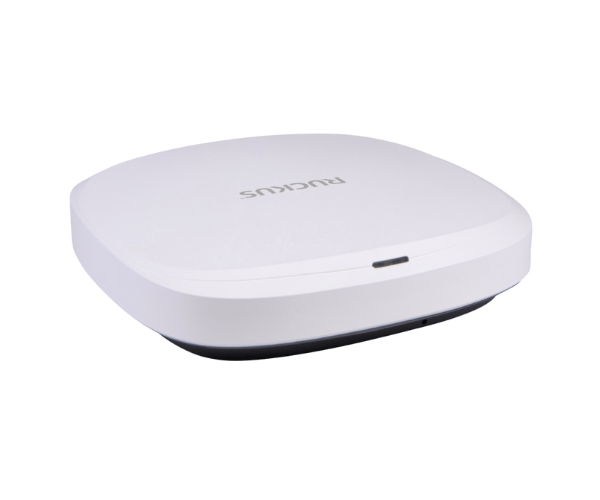
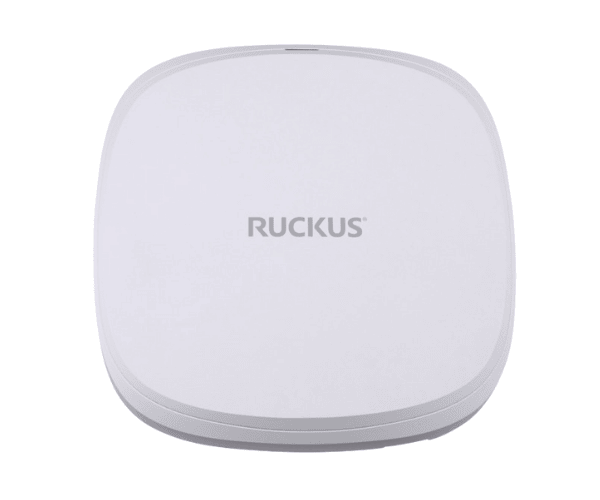
RUCKUS R670 Indoor Access Point delivers high-performance Wi-Fi connectivity tailored for indoor environments. With its advanced technology and user-friendly design, it effectively meets the increasing demands of mobile devices and bandwidth-intensive applications. This access point ensures reliable coverage and fast speeds, making it an ideal choice for enterprises, schools, and public venues.
Why Choose the RUCKUS R670 Indoor Access Point?
Selecting the
RUCKUS R670 Access Point enhances your network's performance and reliability. With advanced features like MU-MIMO technology, it efficiently handles multiple devices simultaneously, ensuring seamless connectivity. Whether you are in an office, a classroom, or a busy café, this access point caters to your specific needs. Its robust security protocols safeguard your network, making it an excellent investment for businesses and institutions.
User Experience
Users have reported a significant improvement in connectivity and speed after installing the
RUCKUS Indoor Access Point. Many appreciate its ability to manage numerous devices without sacrificing performance. The setup process is straightforward, with many users noting how quickly they achieved full functionality. Overall, the feedback highlights the R670's reliability and effectiveness in high-density environments.
Detailed Breakdown of Features
- High-Speed Connectivity: Supports high data rates for seamless streaming and gaming.
- Dual-Band Operation: Operates on both 2.4GHz and 5GHz bands for improved performance.
- MU-MIMO Technology: Enables simultaneous connections to multiple devices without reducing speed.
- Advanced Security: Utilizes the latest security protocols to protect your network.
- Cloud Management: Offers flexible management options through cloud services.
- Power over Ethernet: Simplifies installation by allowing power and data through a single cable.
- Compact Design: Fits easily into any indoor environment without taking up much space.
- Temperature Resilience: Designed to operate in a wide range of temperatures, ensuring reliability.
- Flexible Deployment: Suitable for various applications, from small offices to large venues.
- Scalability: Easily integrates into existing networks, allowing for future expansion.
Installation Steps
- Prepare the Installation Site: Identify a suitable location for the RUCKUS R670 that provides optimal coverage.
- Install the Access Point: Securely fasten the access point to the wall or ceiling using the provided mounting hardware.
- Power Up the Device: Connect the access point to a PoE switch to ensure it receives the necessary power.
- Connect to Network: Connect the Ethernet cable from your network switch to the access point.
- Power On the Access Point: Turn on the access point and ensure it powers up correctly.
- Adjust the Settings: Open the management interface to configure the network parameters.
- Test Connectivity: Ensure all devices can connect smoothly to the network.
- Monitor Performance: Regularly check the access point’s performance through the management interface.
Where It Can Be Used?
The
RUCKUS Indoor Access Point is versatile and can be deployed in various settings, including:
- Corporate Offices: Ensures employees have reliable internet access throughout the workplace.
- Educational Institutions: Supports students and staff with robust connectivity for online learning and collaboration.
- Retail Environments: Provides seamless internet access for customers, enhancing their shopping experience.
- Public Venues: Delivers high-speed Wi-Fi for large crowds in arenas, stadiums, and convention centers.
- Healthcare Facilities: Facilitates efficient communication and connectivity in hospitals and clinics.



-70x60h.png "HPE BladeSystem c‑Class 40Gb QSFP+ MPO SR4 100m Server Transceiver - (720187-B21)")