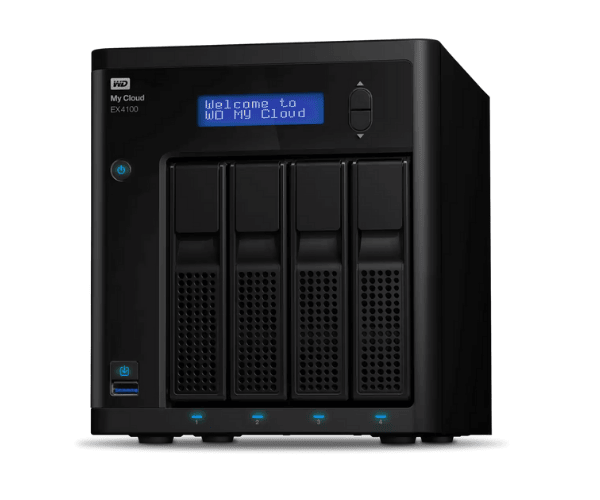
About The WD My WDBWZE0560KBK-EESN 56TB Cloud Expert EX4100 Storage
The WD My WDBWZE0560KBK-EESN 56TB Cloud Expert EX4100 Storage is a big and heavy-duty home user, business user, and creative professional huge storage NAS for huge data storage needs. It provides 56TB of room for secure access, strong protection, smooth management of data, and cloud backup for heavy use.
Description
WD My WDBWZE0560KBK-EESN 56TB Cloud EX4100 Storage in BD
WD My WDBWZE0560KBK-EESN 56TB Cloud Expert EX4100 Storage is available in all electronics shops and online stores of Bangladesh. It is best suited for any consumer looking for high capacity storing drives with easy and secure storing. Extremely high capacity at an affordable price makes it the first choice among office and home users.
User Experience of WD WDBWZE0560KBK-EESN 56TB Expert EX4100 Storage
Buyers are astonished at the WD My WDBWZE0560KBK-EESN 56TB Cloud Expert EX4100 Storage's whopping 56TB capacity, hassle-free installation, and flawless performance. The storage drive is highly valued for its fast dual-core processor, 4GB memory, and effortless cloud connectivity. AES 256-bit encryption protection capabilities provide a sense of security, and the stress-free remote access feature allows easy access to files whenever and wherever desired.
Why Choose The WD WDBWZE0560KBK-EESN 56TB Cloud Expert EX4100?
The WD My WDBWZE0560KBK-EESN 56TB Cloud Expert EX4100 Storage is the way to go. The 56TB of space, in addition to AES 256-bit encryption to protect it, cloud-based access, and ease of scaling, make for perfect storage use in business settings, professionals, and home-based users who need high-capacity storage for the protected storage of various types of data like media content, database content, and backup content.
Key Features
- Massive 56TB Storage: Store massive files like HD video, databases, and backups on 56TB storage.
- Super-Speed Processing: Powered by Marvell ARMADA 388 Dual-Core 1.6 GHz processor to read data and process at super-speed.
- 4GB RAM: Perform high-speed operations and data transfer with ease, ideal for large-file operations.
- Cloud and Remote Access: Access anywhere with your data using My Cloud OS 3, best suited for mobile and remote workers.
- Automatic Backup: Auto cloud and local backup support with good data protection.
How to Maintain WD My WDBWZE0560KBK-EESN 56TB Cloud EX4100 Storage?
To keep the WD My WDBWZE0560KBK-EESN 56TB Cloud Expert EX4100 Storage in good health, remember the following simple maintenance tips:
- Scheduled Software Updates: Update software and firmware from time to time for better performance and security.
- Prevent Overheating: Provide good ventilation to avoid overheating and slow performance.
- Scheduled Backups: Even though the system also has automatic backup options, backup critical files manually from time to time.
- Monitor Storage Health: Keep an eye on the health of the storage drive with My Cloud OS.
- Physical Cleaning: Clean the device regularly to prevent dust buildup that leads to performance issues.
Installation Steps
Install your WD My WDBWZE0560KBK-EESN 56TB Cloud EX4100 Storage with the simple steps below:
- Unbox the Device: Remove the WD My WDBWZE0560KBK-EESN 56TB Expert EX4100 Storage from its packaging and place it on a hard, flat surface.
- Connect to Power and Network: Turn on the device and network via the supplied Ethernet cable.
- Power On the Device: Turn on the device and allow it to boot.
- Access Web Interface: Open a web browser and type the device IP address to access the setup web page.
- Create or Log in to My Cloud Account: Log in to your current My Cloud account or create a new one to begin the setup process.
- Set Storage Settings: Configure the storage as per the instructions and add extra drives if needed.
- Set Backup Settings: Configure automatic or manual backup settings to save your data.
- Install My Cloud App: Install the My Cloud app on your remote machine to begin remotely accessing your data.
Where Can It Be Used?
WD My WDBWZE0560KBK-EESN Cloud Expert EX4100 Storage can be best utilized for the following purposes:
- Home Use: Ideal for backup of large personal data, media, and files with easy remote access.
- Small and Medium-Sized Businesses: Ideal for collaboration workflow, document sharing, and backup data with security.
- Large Companies: Ideal for companies with huge storage requirements, data management, and remote access.
- Remote Accessibility: Properly designed for remote teams or remote workers where there is a requirement to view data in a secure environment.