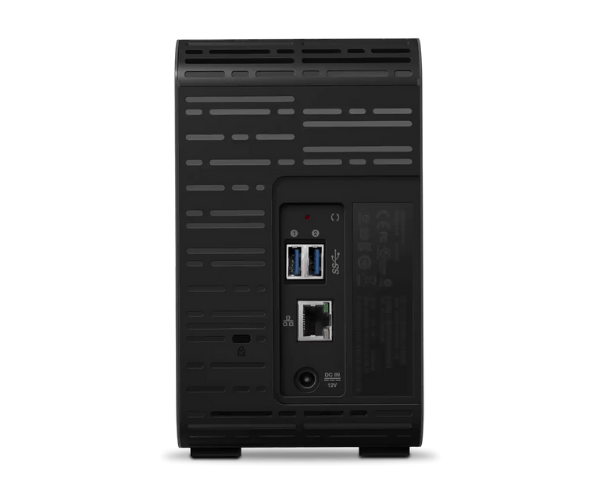
About the WD WDBVBZ0080JCH-EESN 8TB My Cloud Expert EX2 Ultra Storage
The WD WDBVBZ0080JCH-EESN 8TB My Cloud Expert EX2 Ultra Storage is an ultra-performance and high-capacity NAS system that is ideal for home users, small business environments, and professionals. The capacity of the product is 8TB and offers easy and safe access to your files and turbo-fast performance to all your storage needs.
Description
WD WDBVBZ0080JCH-EESN 8TB My Cloud Expert EX2 Ultra Storage in BD
The WD WDBVBZ0080JCH-EESN 8TB My Expert EX2 Ultra Storage is also available in Bangladesh from local electronic stores and online shopping platforms. It is a perfect solution for individuals who require additional storage space and secure, remote access to their data in professional and personal life.
User Experience of WD WDBVBZ0080JCH-EESN My Cloud Expert EX2 Ultra Storage
WD WDBVBZ0080JCH-EESN 8TB My Cloud Expert Ultra Storage reviewers affirm an untroubled experience, all crediting its easy setup, easy-to-understand interface, and seamless functioning. The drive is silent and power-efficient with high-speed reading and writing data, and there is the bonus of accessing stored files via internet while staying within local storage. It's perfectly suited for techie beginners as well as pros.
Why Choose WD WDBVBZ0080JCH-EESN 8TB My Cloud Expert EX2 Ultra Storage?
Choosing the WD WDBVBZ0080JCH-EESN 8TB My Cloud EX2 Ultra Storage is to enjoy a secure, high-capacity storage device with remote access and robust data protection. It is perfect for customers who want to store critical files, access files anywhere, and share securely without compromising speed or performance. For business files or personal files, this NAS solution is a great choice.
Key Features
- Massive Storage Capacity: With 8TB storage capacity, it is ideal for massive storage needs such as media files, backup, and business data.
- Dual-Bay NAS: Two-bay configuration provides data redundancy, protecting data from possible loss during hard drive failure.
- Remote Access: Remote access to data securely using My Cloud app, making it readily available to home and business users.
- 256-bit AES Encryption: Delivers industry-leading data encryption to protect sensitive information from unauthorized access.
- Automatic Backup: Utilize WD Backup or Time Machine and create automatic backups to securely protect data with utmost ease.
- Energy Efficient: Reduced power consumption that saves energy costs without compromising performance.
- Stable Performance: Leveraging the Marvell ARMADA processor and 1GB of RAM, the machine delivers fast processing of data with stable performance.
How to Maintain WD WDBVBZ0080JCH-EESN 8TB My Cloud Expert EX2 Ultra Storage?
It is easy and beneficial to maintain the WD WDBVBZ0080JCH-EESN 8TB My Expert EX2 Ultra Storage in working condition for long-term use:
- Update Firmware Regularly: Keep your device with the latest firmware update at all times to keep it secure and perform at its peak.
- Ventilation: Place the device in a well-ventilated, cool place to avoid overheating, which degrades performance and life.
- Perform Periodic Backups: Regularly back up your data to avoid loss and keep your system in a working state.
- Run Diagnostics: Run the onboard diagnostic utilities to ensure the health of the drives and identify issues in advance.
Installation Steps
- Unbox the Device: Gently open the packaging and remove the WD WDBVBZ0080JCH-EESN 8TB Cloud Expert EX2 Ultra Storage device.
- Plug in the Cables: Insert the power cord and Ethernet cord into a power source and attach the device to the router.
- Power On: Insert the power cable and wait for the light indicators to signal that the device is ready for operation.
- Go to the Dashboard: Open a web browser on your mobile phone or computer and access the My Cloud setup webpage.
- Set Up the Device: Set up the device according to on-screen guidance to log in and create an account, specify storage settings, and configure backup settings.
- Install the App: Install the My Cloud app on smartphones and computers to access data remotely.
Where Can It Be Used?
WD WDBVBZ0080JCH-EESN My Cloud Expert EX2 Ultra Storage is appropriate for:
- Home Use: Secure storage of individual files, media, and backups and sharing it across devices at home.
- Commercial Use: Share files among employees, secure keeping valuable information, and automatic enterprise data backup.
- Creative Professionals: For photographers, video experts, and designers who need large storage space and direct access to high-quality media files.
- Remote Work: Store and fetch work documents even when working remotely.