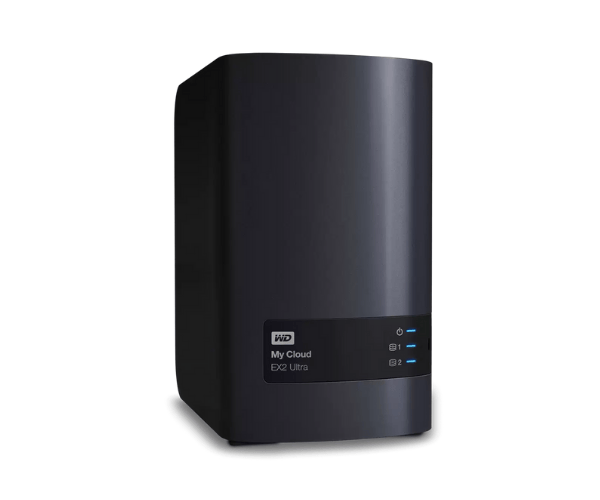
About the WD WDBVBZ0060JCH-EESN 6TB My Cloud Expert EX2 Ultra
The WD WDBVBZ0060JCH-EESN 6TB My Cloud Expert EX2 Ultra Storage is a high-performance, network-attached storage (NAS) device designed to provide secure, scalable storage solutions for both home and small business users. With 6TB of space, this device offers flexible storage options, reliable performance, and easy access to your data.
Description
WD WDBVBZ0060JCH-EESN 6TB My Cloud Expert EX2 Ultra in BD
The WD WDBVBZ0060JCH-EESN 6TB My Expert EX2 Ultra Storage is available for purchase in Bangladesh through both online e-commerce platforms and local electronics retailers. It is an ideal choice for users seeking a reliable, high-capacity, and secure data storage solution with convenient remote access features.
User Experience of WD WDBVBZ0060JCH-EESN 6TB My Cloud Expert EX2 Ultra Storage
Users of the WD WDBVBZ0060JCH-EESN 6TB My Cloud EX2 Ultra Storage have reported exceptional performance and reliability. The setup process is straightforward, and the device runs quietly and efficiently. Both novice and advanced users find the interface intuitive, making it easy to manage data and access it remotely. The built-in encryption and automatic backup features provide additional peace of mind regarding data security.
Why Choose WD WDBVBZ0060JCH-EESN 6TB My Cloud Expert EX2 Ultra Storage?
When you choose the WD WDBVBZ0060JCH-EESN My Cloud Expert EX2 Ultra Storage, you’re opting for a versatile, secure, and powerful storage solution. It’s designed for seamless file sharing, remote access, and data protection. Whether you’re a home user needing to store personal files or a small business requiring a reliable backup solution, this product offers both performance and security.
Key Features
- Large Storage Capacity: With 6TB of storage space, you can store vast amounts of data, including documents, photos, videos, and backups.
- Dual-Bay NAS: Dual-bay configuration allows for data redundancy and ensures that your files are always safe with easy backup solutions.
- Remote Access: Access your data from anywhere, anytime, using the My Cloud app for your mobile devices and computers.
- 256-bit AES Encryption: Enhanced security with AES encryption ensures your sensitive data remains safe and secure.
- Automatic Backup: Schedule automatic backups for all your devices, including computers, smartphones, and tablets, using WD Backup or Apple Time Machine.
- Energy Efficient: Designed to consume less power, helping you save on energy costs.
- Stable Performance: Powered by the Marvell ARMADA 385 processor and 1GB of RAM, ensuring reliable and fast performance.
How to Maintain WD WDBVBZ0060JCH-EESN 6TB My Cloud Expert EX2 Ultra Storage?
Maintaining the WD WDBVBZ0060JCH-EESN 6TB My Expert EX2 Ultra Storage is straightforward and will help prolong its lifespan. Here’s how to keep it in top condition:
- Update Firmware Regularly: Ensure the device runs optimally by checking and installing firmware updates as they become available.
- Proper Ventilation: Make sure the device is placed in a well-ventilated area to avoid overheating.
- Regular Backups: Perform regular backups to prevent data loss and ensure that your files are securely stored.
- Run Diagnostics: Use the diagnostic tools provided by WD to check the health of your drives and catch potential issues early.
Installation Steps
- Unbox the Device: Carefully remove the WD WDBVBZ0060JCH-EESN 6TB My Cloud EX2 Ultra Storage from its packaging.
- Connect the Cables: Plug in the power supply and Ethernet cable to connect the device to your network.
- Power On: Press the power button to turn on the device. Wait for the indicator lights to signal readiness.
- Access the Setup Page: Open a web browser on your computer or mobile device and visit the WD My Cloud setup page.
- Set Up the Device: Follow the on-screen instructions to create your account and configure the storage settings.
- Install the App: Download the My Cloud app for mobile devices and computers to access files remotely and manage data.
Where Can It Be Used?
The WD WDBVBZ0060JCH-EESN 6TB My Expert EX2 Ultra Storage is perfect for various use cases, including:
- Home Use: Store personal data such as family photos, movies, and documents, and access them from any device.
- Small Business Use: Securely share files, collaborate on business documents, and back up critical data with ease.
- Creative Professionals: Ideal for photographers, videographers, and designers who require fast access to large files and reliable storage.
- Remote Work: Store work documents securely and access them remotely for remote employees or freelancers.