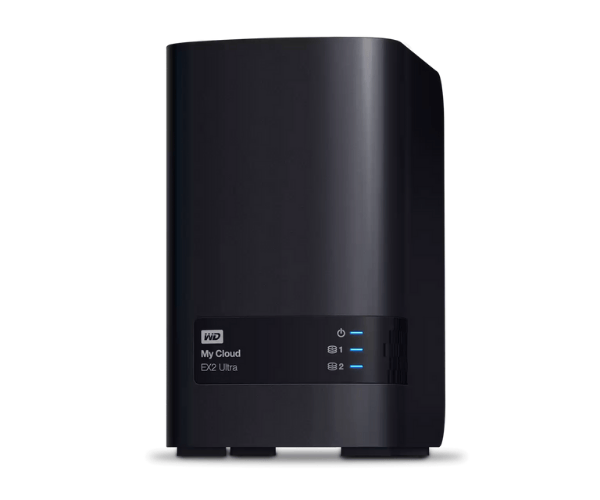
About The WD WDBVBZ0040JCH-EESN 4TB My Cloud Expert EX2 Ultra Storage
The WD WDBVBZ0040JCH-EESN 4TB My Cloud Expert EX2 Ultra Storage is an excellent NAS (Network-Attached Storage) product designed for home and small business use. With a 4TB storage capacity, this robust device provides secure data storage, remote access, and easy data management with a simple interface and robust features.
Description
WD WDBVBZ0040JCH-EESN 4TB My Cloud Expert EX2 Ultra Storage in BD
The WD WDBVBZ0040JCH-EESN 4TB My Cloud EX2 Ultra Storage is available to purchase in Bangladesh from local electronic shops and online shopping websites. It is the perfect answer for anyone who needs a secure storage solution for data that is easy to access remotely.
User Experience of WD WDBVBZ0040JCH-EESN 4TB Expert EX2 Ultra Storage
The users have great performance with the WD WDBVBZ0040JCH-EESN My Cloud Expert EX2 Ultra Storage. It is easy to set up, and the unit operates well. Its interface is easy to operate, so novice and expert users will both be able to use it conveniently. Remote access and file management are safe, and the security measures prevent your data from being damaged.
Why Choose The WD WDBVBZ0040JCH-EESN 4TB My Cloud EX2 Ultra Storage?
As you choose the WD WDBVBZ0040JCH-EESN 4TB My Cloud EX2 Ultra Storage, you're choosing a safe, secure, and high-speed storage solution. This device supports simple remote access to your content, robust protection with encryption, and a seamless interface, providing an ideal business and personal application solution.
Key Features
- High Storage Space: With storage space of 4TB, you can store a massive amount of data like videos, pictures, documents, and backups.
- Dual-Bay NAS: Dual-bay configuration provides redundancy of data as well as easy backup facilities.
- Remote Access: Remotely access your files and from anywhere at any time with the My Cloud app.
- Enhanced Security: Your data is secured with 256-bit AES hardware encryption.
- Energy Efficient: Low power consumption, saving energy and costs.
- Stable Performance: The Marvell ARMADA processor and 1GB RAM provide stable and fast performance.
How to Maintain WD WDBVBZ0040JCH-EESN 4TB My Cloud EX2 Ultra Storage?
It is simple to maintain the WD WDBVBZ0040JCH-EESN 4TB My Cloud Expert EX2 Ultra Storage in good condition:
- Firmware Updates: Regularly check and update firmware to keep the system in its optimal state.
- Keep the Device Cool: Ensure proper ventilation to prevent overheating and maintain performance.
- Regular Backups: Back up regularly to never lose data.
- Check for Errors: Employ the diagnostics tool that comes with the device to check on the health of the drives.
Installation Steps
- Unbox the Device: Take the WD WDBVBZ0040JCH-EESN 4TB My Cloud Expert EX2 Ultra Storage out of the box and place it on a flat surface.
- Connect the Cables: Connect the power supply and Ethernet cable to the device.
- Power On: Turn on the device and allow the indicator lights to show that it is ready.
- Access the Dashboard: On your mobile or computer, open a web browser and go to the WD My Cloud setup website.
- Set Up: Follow the on-screen instructions to set up your device, create your account, and configure storage settings.
- Install Apps: Download and install My Cloud apps on your mobile devices and computers to access files remotely.
Where Can Be Used?
WD WDBVBZ0040JCH-EESN 4TB My Cloud Expert EX2 Ultra Storage is ideal for:
- Home Use: Store personal files, family photos, and videos securely and access them on various devices.
- Small Business Use: Share and collaborate on business documents, back up important data, and offer security with encrypted backups.
- Creative Pros: Suitable for photographers, video editors, and designers who need plenty of storage space and fast access to high-definition files.