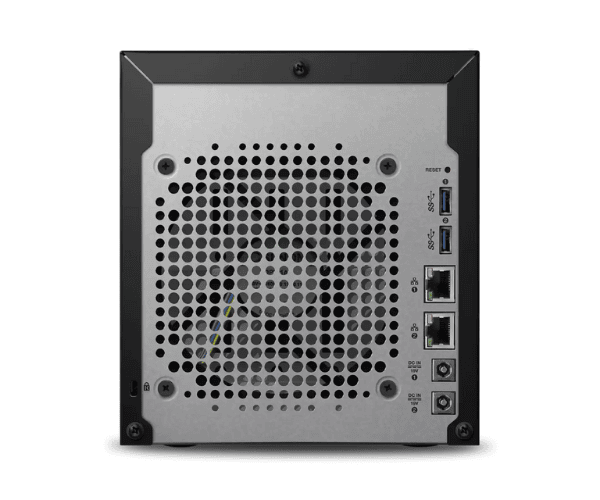
About WD WDBWZE0320KBK-EESN My Cloud Expert EX4100 32TB Storage
The WD WDBWZE0320KBK-EESN My Cloud Expert EX4100 32TB Storage is a premium NAS storage unit for home and business consumers. It comes with an enormous 32TB storage, efficient data management, cloud backup, safe remote access, and expandable storage. Ideal for heavy-duty storage requirements, the device possesses decent performance and robust data protection.
Description
WD WDBWZE0320KBK-EESN My Expert EX4100 32TB Storage in BD
The WD WDBWZE0320KBK-EESN My Cloud Expert EX4100 32TB Storage can be found readily in Bangladesh. Customers can purchase it from authorized electronic stores, approved retailers, and online stores. The storage is a great option for customers looking for ample storage space and good data handling.
User Experience of WD WDBWZE0320KBK-EESN My Cloud EX4100 32TB Storage
Customers just cannot stop praising the WD WDBWZE0320KBK-EESN My Cloud Expert EX4100 32TB Storage for its simplicity in setup, performance, and massive storage space. The 32TB storage capacity of the device is perfect for large data requirements, including high-definition media libraries, business files, and storage of archives. Sleek data sharing is achieved by the dual-core processor and 4GB of RAM, while complete data safety is achieved through AES 256-bit encryption. Remote access with My Cloud OS 3 is greatly appreciated by users who want on-the-go access to files.
Why Choose WD WDBWZE0320KBK-EESN My Cloud Expert EX4100 32TB Storage
WD WDBWZE0320KBK-EESN My Cloud Expert EX4100 32TB Storage suits business and user customers looking for a high storage capacity, scale-up, and secure storage product. The unit offers 32TB of ready-to-use storage capacity, allowing ample room for high data capacity. Remote access, auto-backup, and 256-bit AES encryption give the unit added security along with convenience. Additional expandability by USB is convenient for increasing space for storage. With an expanding business or home environment where there is heavy media usage, this device is an efficient and safe option.
Key Features
- Massive 32TB Storage: With 32TB of internal storage capacity, you'll have ample space to store plenty of data without ever running out of room.
- High-Performance Processor: Marvell ARMADA 388 Dual-Core processor (1.6 GHz) provides you with immediate access to your files and immediate data processing.
- Flexible Expansion: External drives are accessible via two USB 3.0 ports and one USB 2.0 port for storage expansion.
- Cloud Access & Remote Access: With My Cloud OS 3, access your files remotely from anywhere, perfect for remote working.
- Top-Level Security: 256-bit AES encryption and password protection guarantee the security and confidentiality of your data.
How to Maintain WD WDBWZE0320KBK-EESN My Cloud EX4100 32TB Storage?
- Regular Firmware Updates: Update the device from time to time by searching for firmware updates, which keeps security patches and performance enhancements in place.
- Prevent Overheating: Place the device in an open area to prevent overheating, which could reduce performance.
- Storage Health Check: Utilize the My Cloud OS dashboard to inspect the health of the device and attached drives and avoid storage issues.
- Clean Periodically: Clean the exterior of the device and ports using a dry cloth to prevent dust buildup and overheating.
Installation Steps
- Unbox the Device: Unbox the WD WDBWZE0320KBK-EESN My Cloud Expert EX4100 32TB Storage and place it on a flat surface.
- Connect Power & Network: Plug in the device to a power source and plug it into your network using an Ethernet cable.
- Turn on the Device: Power on the device and allow it to boot up.
- Access Web Interface: Open a web browser and enter the device IP address (refer manual) to begin setup.
- Create or Log into My Cloud Account: Login to your existing My Cloud account or create a new one for setup.
- Configure Storage Settings: Plug in any additional drives and configure the storage according to your need.
- Set Up Backup Options: Provide automatic or manual backup options for data safeguarding.
- Install My Cloud App: Enjoy access to the cloud by simply downloading the My Cloud app on your mobile phone.
Where It Can Be Used?
WD WDBWZE0320KBK-EESN My Cloud Expert EX4100 32TB Storage can be used in different environments:
- Home Use: Ideal for storing massive media collections, personal information, and remote-access data backups.
- Small and Medium-sized Businesses: Best suited for data backup, teamwork, and secure storage of business records.
- Large Businesses: Best suited for big groups and departments with needs of enormous storage facility and remote access capabilities.
- Remote Access: Best suited for those who require access to data outside a network, e.g., remote workers or multi-site organizations.