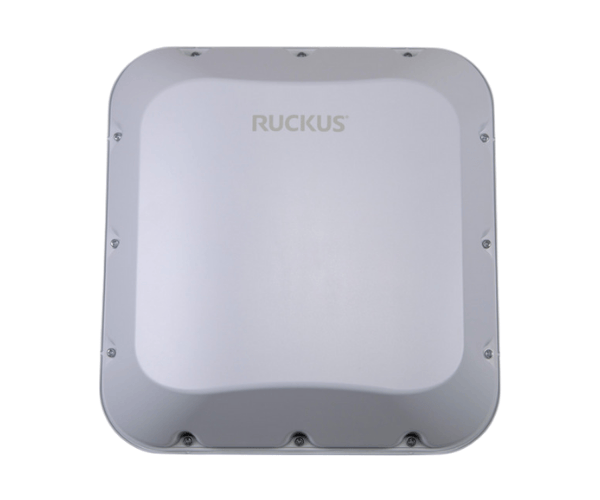
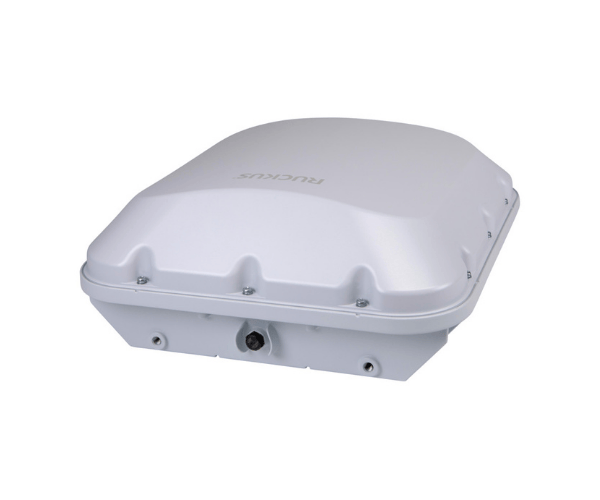
Introduction of RUCKUS T670 Outdoor Access Point
The
RUCKUS T670 Outdoor Access Point stands as a reliable solution for extending network coverage in outdoor environments. Designed to provide seamless connectivity, this access point offers high performance and durability, making it ideal for various applications such as outdoor events, campuses, and public areas. With advanced features tailored for outdoor use, the RUCKUS T670 ensures that users enjoy stable and high-speed internet access, regardless of the setting.
Why Choose the RUCKUS T670 Outdoor Access Point?
Choosing the
RUCKUS T670 Access Point means investing in a robust solution that guarantees high-performance connectivity in outdoor settings. This access point provides excellent coverage and user capacity, making it perfect for dense environments. The T670’s weather-resistant design ensures it can withstand harsh conditions while delivering reliable service. By choosing the RUCKUS T670, you equip your outdoor spaces with the necessary infrastructure to support demanding applications and numerous users.
User Experience
Users consistently praise the RUCKUS T670 for its reliability and performance. Many report improved connectivity in previously challenging areas, enabling seamless access to resources and applications. The ability to handle numerous connections without compromising speed or stability makes it a popular choice among organizations and businesses.
Detailed Breakdown of Features
-
Weather-Resistant Design: Engineered to withstand harsh temperatures and challenging environmental conditions.
- High Data Rates: Supports high-speed connectivity with a maximum data rate of up to 1.77 Gbps.
- Dual-Band Performance: Operates on both 2.4 GHz and 5 GHz frequencies for flexible network deployment.
- Enhanced User Capacity: Designed to handle many simultaneous connections, ideal for crowded environments.
- Power Over Ethernet (PoE): Streamlines installation by enabling the transmission of both power and data through a single cable.
- Advanced Antenna Technology: Dual-polarized antennas provide extended coverage and improved signal quality.
- Easy Management: Simplified configuration and management through intuitive interfaces and software tools.
- Seamless Roaming: Supports seamless connectivity for mobile devices, ensuring uninterrupted access as users move around.
- Scalability: Easily integrates into existing networks, allowing for future expansion as needs grow.
- Security Features: Implements advanced security protocols to protect the network from unauthorized access.
Installation Steps
- Select the Installation Location: Choose a suitable location for the access point, ensuring it is free from obstructions and provides optimal coverage.
- Mount the Access Point: Utilize the provided mounting hardware to securely attach the RUCKUS T670 to a wall or pole.
- Connect Power: Employ a Power over Ethernet (PoE) switch to provide power and link the access point to the network.
- Connect Ethernet Cables: Plug the Ethernet cables into the designated ports on the RUCKUS T670 for data transmission.
- Configure the Settings: Access the management interface to set up the network parameters, ensuring optimal performance and security.
- Test the Connection: Verify the installation by checking the connectivity and performance in various locations around the coverage area.
Where It Can Be Used?
The
RUCKUS Outdoor Access Point is perfect for a variety of outdoor applications, including:
- Public Parks and Recreation Areas: Provide internet access for visitors.
- Outdoor Events: Support connectivity for festivals, concerts, and gatherings.
- Educational Campuses: Extend network access in outdoor learning spaces.
- Shopping Centers: Enhance customer experience with reliable Wi-Fi access.
- Transportation Hubs: Ensure connectivity in outdoor areas of airports and train stations.