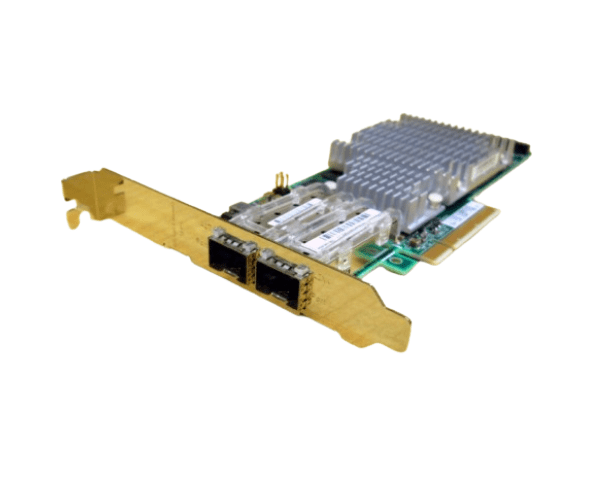
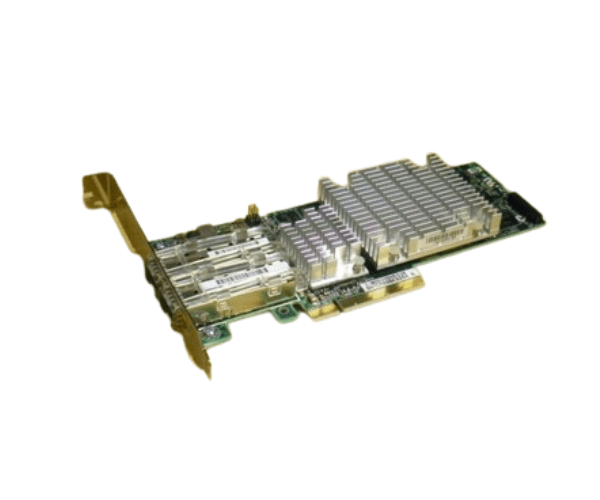
HP 468349-001 468332-B21 10GBE NC522SFP Dual Port PCIe Adapter
The HP 468349-001 468332-B21 10GBE NC522SFP Dual Port PCIe Adapter is designed to enhance network performance with its dual-port 10GbE connectivity. Ideal for high-speed data transfers and reliable network connections, this adapter ensures robust performance for HP servers, making it a valuable addition to your infrastructure.
User Experience
Users consistently report improved network performance with the HP 468349-001 468332-B21 10GBE NC522SFP 2-Port PCIe Adapter. The dual 10GbE ports provide fast, reliable connections that support high-bandwidth applications, making it a favored choice for enterprises seeking efficient network solutions. Its integration with HP servers is smooth, enhancing overall network throughput with minimal setup.
Why Choose the HP 468349-001 468332-B21 10GBE NC522SFP 2-Port PCIe Adapter?
The
HP 468349-001 468332-B21 10GBE NC522SFP 2-Port PCIe Adapter offers superior network performance with 10GbE ports. This adapter ensures high-speed data transfer and reliable connectivity, crucial for handling large volumes of data and supporting demanding applications. Choosing the HP 468349-001 468332-B21 means investing in a robust solution that integrates seamlessly with HP servers. The HP 468349-001 468332-B21 10GBE NC522SFP adapter is essential for enterprises looking to enhance their network infrastructure with high-performance, dual-port connectivity.
Key Features
- Dual 10GbE Ports: Provides high-speed network connectivity with up to 10Gbps per port.
- PCIe Interface: Ensures fast and reliable installation and operation.
- Low Profile Form Factor: Fits into standard server slots, accommodating various server designs.
- Enhanced Performance: Supports high-bandwidth applications and data-intensive tasks.
- Broad Compatibility: Works with HP servers and network solutions for seamless integration.
- Efficient Networking: Improves network throughput and reduces latency.
Installation Steps
- Power Down the Server: Ensure the server is turned off and disconnected from the power source.
- Open the Server Case: Remove screws or latches to access the internal components.
- Locate the PCIe Slot: Identify an available PCIe slot on the server motherboard.
- Insert the Adapter: Carefully insert the HP 468349-001 468332-B21 10GBE NC522SFP 2-Port PCIe Adapter into the PCIe slot.
- Secure the Adapter: Fasten the adapter to the server chassis using the provided screws or latches.
- Connect Network Cables: Attach network cables to the dual 10GbE ports.
- Close the Server Case: Replace and secure the server case cover.
- Power Up the Server: Reconnect the power source and turn on the server.
- Install Drivers: Download and install the latest drivers from the HP support website if necessary.
- Configure the Adapter: Use the server’s network management tools to configure the adapter settings.