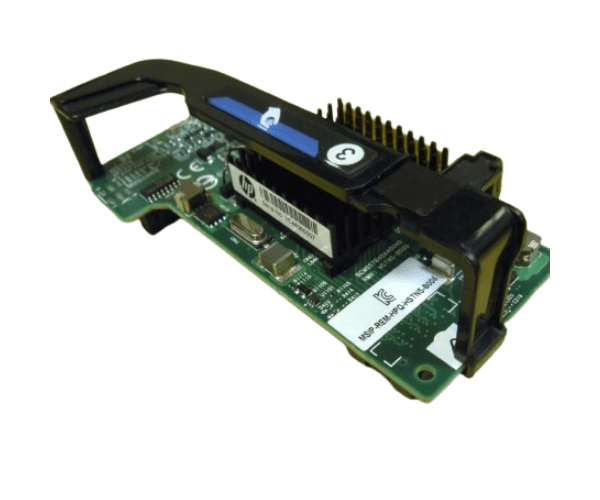
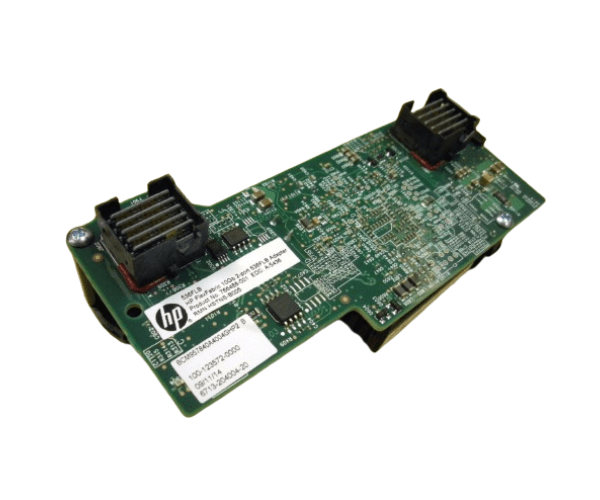
HP 766490-B21 768080-001 766488-001 FlexFabric 10Gb 2-port 536FLB Adapter
The
HP 766490-B21 768080-001 766488-001 FlexFabric 10Gb 2-port 536FLB Adapter is designed to enhance data center performance with superior network connectivity. This adapter ensures high-speed data transfer, reduced latency, and reliable operation, making it an excellent choice for demanding business environments.
User Experience
Users of the
HP 766490-B21 768080-001 766488-001 FlexFabric 10Gb 2port 536FLB Adapter report significant improvements in network performance and reliability. The dual-port design allows for increased data throughput and redundancy, ensuring that network traffic is handled efficiently. Easy integration with HP ProLiant servers further enhances user satisfaction, providing a seamless and robust networking solution.
Why Choose the HP 766490-B21 768080-001 766488-001 FlexFabric 10Gb 2port 536FLB Adapter?
Choosing the
HP 766490-B21 768080-001 766488-001 FlexFabric 10Gb 2port 536FLB Adapter ensures that your business benefits from advanced networking capabilities. This adapter offers high-speed connectivity, reliability, and easy integration with existing systems. It's an ideal choice for enterprises looking to upgrade their network infrastructure without compromising on performance or stability.
Key Features
- High-Speed Connectivity: With 10Gb Ethernet ports, experience faster data transfers and reduced latency.
- Dual-Port Design: Provides redundancy and increased data throughput, enhancing overall network reliability.
- FlexFabric Technology: Integrates seamlessly with HP FlexFabric architecture for streamlined operations.
- Compatibility: Designed for HP ProLiant Gen8 and Gen9 servers, ensuring easy installation and integration.
- FlexibleLOM Form Factor: Allows for flexible deployment options, adapting to various server configurations.
Installation Steps
- Power Down the Server: Ensure the server is completely powered off before installation.
- Open the Server Case: Carefully remove the server case to access the motherboard.
- Locate the FlexibleLOM Slot: Identify the FlexibleLOM slot where the adapter will be installed.
- Insert the Adapter: Gently insert the HP 766490-B21 768080-001 766488-001 FlexFabric 10Gb 2port 536FLB Adapter into the FlexibleLOM slot.
- Secure the Adapter: Use screws or clips to secure the adapter in place, ensuring it is firmly seated.
- Close the Server Case: Replace the server case and secure it.
- Power Up the Server: Turn on the server and verify that the adapter is recognized by the system.
- Install Drivers: Install the necessary drivers and software to enable the adapter's functionality.
- Configure Network Settings: Set up network configurations as required for your specific network environment.