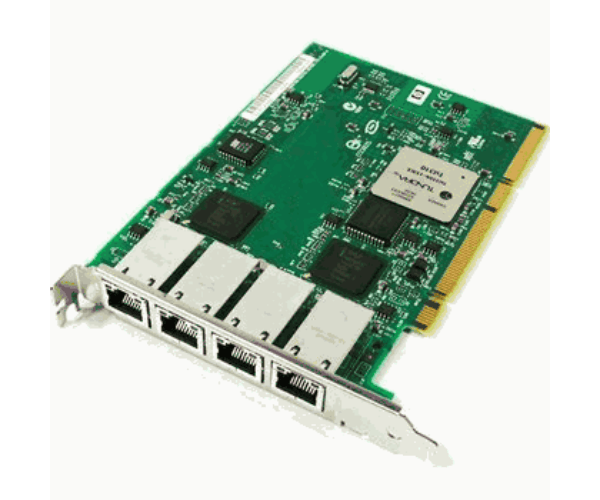
AD339A HP Integrity PCIe 4 port NC364T Gigabit Ethernet Adapter
The AD339A HP Integrity PCIe 4-port NC364T Gigabit Ethernet Adapter is a versatile networking solution designed to deliver high-speed connectivity and enhance network performance. With four Gigabit Ethernet ports, this adapter provides reliable and efficient network communication, making it an essential component for modern data centers and enterprise environments.
User Experience
Users of the HP AD339A 4-port GigE Adapter find it significantly enhances their network infrastructure. The four-port design allows for multiple high-speed connections, reducing network congestion and improving overall data throughput. The adapter's easy installation and reliable performance contribute to a stable and efficient network environment.
Why Choose the AD339A HP Integrity PCIe 4-port NC364T Gigabit E Adapter?
The
HP AD339A 4-port GigE Adapter is a top choice for businesses looking to upgrade their network capabilities. Its four Gigabit Ethernet ports provide ample connectivity options, ensuring smooth and efficient data transfer. The HP AD339A 4-port GigE Adapter offers excellent performance and reliability, making it ideal for enterprise networks. By selecting the HP AD339A 4-port GigE Adapter, businesses can achieve robust and scalable network solutions to meet their growing needs.
Key Features
- Four Gigabit Ports: Four ports for high-speed network connectivity.
- High-Speed Performance: Supports 1Gbps Ethernet speed for efficient data transfer.
- PCIe Interface: Compatible with HP Integrity servers for easy installation.
- Low-Profile Design: Compact form factor for space-saving in server racks.
- Reliable Networking: Ensures stable and consistent network performance.
Installation Steps
- Power Down the Server: Ensure the HP Integrity server is completely powered off before starting installation.
- Open the Server Chassis: Carefully open the server chassis to access the PCIe slots.
- Insert the Adapter: Locate an available PCIe slot and insert the HP AD339A 4-port GigE Adapter.
- Secure the Adapter: Make sure the adapter is firmly seated and secure it in place.
- Close the Chassis: Reattach the server chassis cover and reconnect any cables that were disconnected.
- Power Up and Configure: Power up the server and access the network settings to configure the adapter.
- Verify Installation: Check that the HP AD339A 4-port GigE Adapter is recognized and functioning properly.