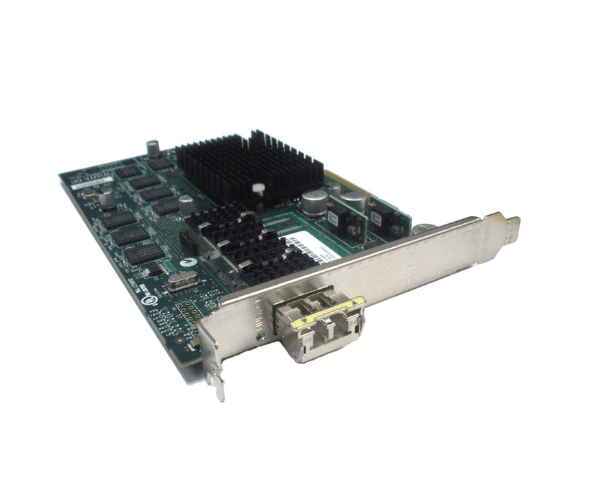
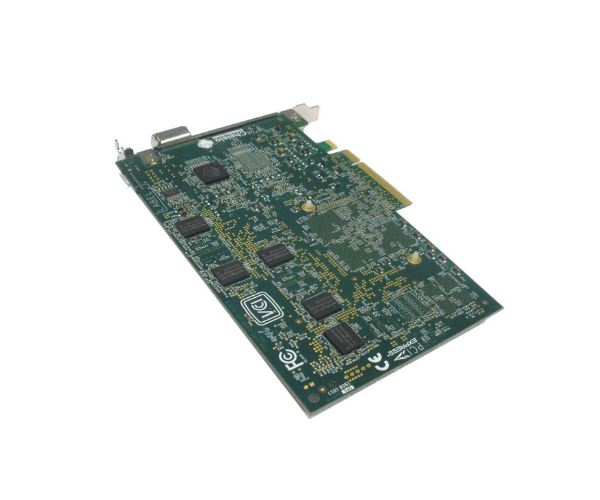
AD386A HP PCIe 10GbE SR Ethernet Adapter
The AD386A HP PCIe 10GbE SR Ethernet Adapter is designed to deliver high-speed network connectivity for HP servers. With its 10GbE interface and short-range (SR) capabilities, this adapter offers fast data transfer rates and reliable network performance, making it ideal for demanding enterprise environments.
User Experience
Users of the HP 10GbE SR Ethernet Adapter have experienced significant improvements in network performance. Its high-speed 10GbE connectivity offers fast data transfer rates, which is essential for high-bandwidth applications. The adapter’s SR capability ensures reliable performance over short distances, making it a reliable choice for enterprise networks.
Why Choose the AD386A HP PCIe 10GbE SR Ethernet Adapter?
The
HP 10GbE SR Ethernet Adapter stands out for its high-speed 10GbE performance and short-range reliability. It provides fast and efficient network connectivity, which is crucial for handling large data loads and improving overall network efficiency. Designed for HP servers, this adapter ensures seamless integration and exceptional performance in enterprise environments.
Key Features
- 10GbE Network Speed: Offers up to 10 Gb/s network speed for fast and efficient data transfer.
- Short-Range (SR) Capability: Optimized for short-range connections, ensuring reliable performance over shorter distances.
- PCIe Interface: Utilizes a PCIe interface for high-bandwidth and stable network connectivity.
- SFP+ Port Type: Includes an SFP+ port for flexibility and compatibility with various fiber types.
- Ease of Integration: Designed specifically for HP servers, making it easy to install and configure for improved network performance.
Installation Steps
- Power Down: Shut down the server and disconnect it from the power source.
- Open Server Chassis: Remove the server cover to access the PCIe slots.
- Insert Adapter: Carefully insert the AD386A HP Adapter into an available PCIe slot.
- Secure Adapter: Ensure the adapter is firmly seated and secure it with the necessary screws or mounting brackets.
- Close Chassis: Replace and secure the server cover.
- Power On: Reconnect the server to the power source and turn it on.
- Install Drivers: Download and install the drivers for the AD386A HP Ethernet Adapter from the HP support website.
- Configure Network: Use network management tools to configure the adapter settings and establish network connections.
- Verify Operation: Check network performance to ensure the adapter is functioning correctly and delivering the expected speed.