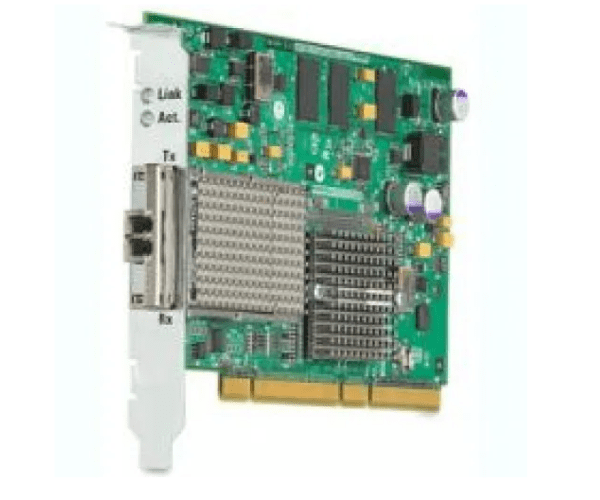
AD385A HP PCI-X 266MHz 10 Gigabit Ethernet Fibre Channel SR Adapter (10GBASE-SR)
The AD385A HP PCI-X 266MHz 10 Gigabit Ethernet Fibre Channel SR Adapter (10GBASE-SR) is engineered for high-speed network environments. With its 10GBASE-SR technology, it offers exceptional data transfer rates and reliability, making it an ideal choice for demanding applications that require rapid and efficient data handling.
User Experience
Users of the AD385A HP PCI-X 266MHz 10 Gigabit Ethernet Fibre Channel SR Adapter report high satisfaction due to its reliable performance and fast data transfer capabilities. It integrates seamlessly with HP servers, enhancing network speed and stability. Many appreciate the adapter's ease of installation and its consistent ability to handle heavy data loads efficiently. The 10GBASE-SR technology ensures low latency and high throughput, crucial for mission-critical applications.
Why Choose the AD385A HP PCI-X 266MHz 10 Gigabit Ethernet Fibre Channel SR Adapter?
Choosing the AD385A
HP PCI-X 266MHz 10 Gigabit Ethernet Fibre Channel SR Adapter ensures your network can handle high-speed data transfers with ease. This adapter's 10GBASE-SR technology and compatibility with HP servers make it a reliable choice for boosting network performance. Its low-profile design allows for efficient use of server space, while its high performance meets the demands of modern, data-intensive environments.
Key Features:
- High-Speed Connectivity: Offers 10 Gigabit Ethernet speeds for rapid data transfer and improved network performance.
- Fibre Channel Support: Utilizes Fibre Channel technology for reliable and stable connections.
- Short-Range Wavelength: Operates at 850 nm, ideal for short-range connections within data centers.
- PCI-X Interface: Provides compatibility with older HP server systems while delivering high performance.
- Low-Profile Design: Fits into standard server slots without additional space requirements, ensuring a clean and efficient setup.
Installation Steps:
- Preparation: Shut down the server and disconnect power sources. Gather the AD385A HP PCI-X 266MHz 10 Gigabit Ethernet Fibre Channel SR Adapter and necessary tools.
- Access the Server: Open the server case by following the manufacturer’s guidelines for panel removal.
- Identify the PCI-X Slot: Locate an available PCI-X slot on the server’s motherboard.
- Insert the Adapter: Carefully insert the AD385A HP PCI-X 266MHz 10 Gigabit Ethernet Fibre Channel SR Adapter into the PCI-X slot, ensuring it is properly seated.
- Secure the Adapter: Fasten the adapter in place using screws or other securing mechanisms provided.
- Connect Cables: Attach the necessary Ethernet and Fibre Channel cables to the adapter’s ports.
- Close the Server Case: Reattach the server panels or screws to secure the case.
- Power On the Server: Plug the server back in and power it on. Confirm that the adapter is recognized by the system BIOS or operating system.
- Install Drivers: Follow the manufacturer’s instructions to install any required drivers or software for the AD385A HP PCI-X 266MHz 10 Gigabit Ethernet Fibre Channel SR Adapter.
- Verify Operation: Test the adapter’s performance to ensure it is functioning correctly and efficiently handling network traffic.