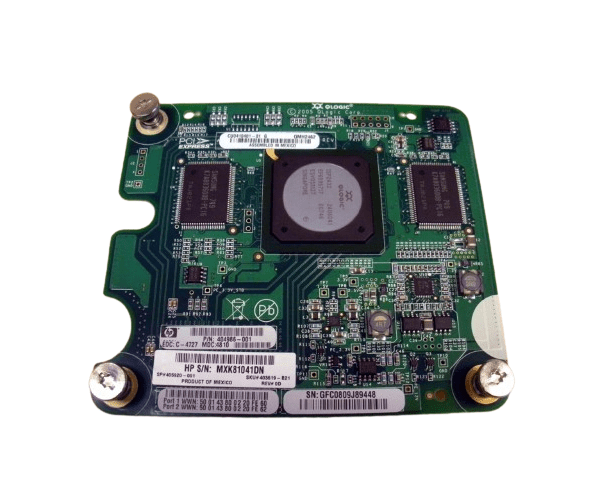
HP 403619-B21 Mezzanine Board Adapter
The HP 403619-B21 Mezzanine Board Adapter is designed to boost the connectivity and performance of HP server systems. Delivering reliable, high-speed data transfer, this adapter is perfect for businesses looking to enhance their server capabilities and achieve seamless network integration.
User Experience
Users of the HP 403619-B21 Mezzanine Adapter have experienced significant enhancements in server performance and network speed. The adapter's straightforward installation and seamless integration with HP server systems minimize downtime. Businesses benefit from reliable data transfer and enhanced connectivity, making it a preferred choice for IT professionals looking to optimize their server infrastructure.
Why Choose the HP 403619-B21 Mezzanine Board Adapter?
Choosing the
HP 403619-B21 Mezzanine Adapter ensures your server system is equipped with a high-performance solution that guarantees reliable and fast data transfer. Specifically designed for HP server systems, this adapter offers compatibility and optimization for your existing infrastructure. With its robust performance and proven reliability, the HP 403619-B21 Mezzanine Adapter is an excellent investment for businesses aiming to improve their server capabilities.
Key Features
- High-Speed Data Transfer: Supports high-speed data transfer for improved server performance.
- Reliable Connectivity: Ensures stable and consistent network connectivity.
- Mezzanine Interface: Designed for seamless integration with HP server systems.
- Efficient Power Consumption: Operates at a low power consumption of 3 Watts.
- Durable Design: Built to withstand a wide range of operating and storage temperatures.
- Compact Size: Small form factor for easy installation and integration.
Installation Steps
- Power Down: Turn off your HP server system and disconnect it from the power source.
- Open the Case: Remove the server’s case to access the mezzanine slot.
- Insert the Adapter: Carefully insert the HP 403619-B21 Mezzanine Adapter into the available mezzanine slot.
- Secure the Adapter: Fasten the adapter to the server chassis using the screws provided.
- Reconnect Power: Close the server case, reconnect the power, and turn the server on.
- Install Drivers: Install the necessary drivers and software for the adapter to function correctly.
- Configure Settings: Configure network settings as needed to integrate the adapter into your network.