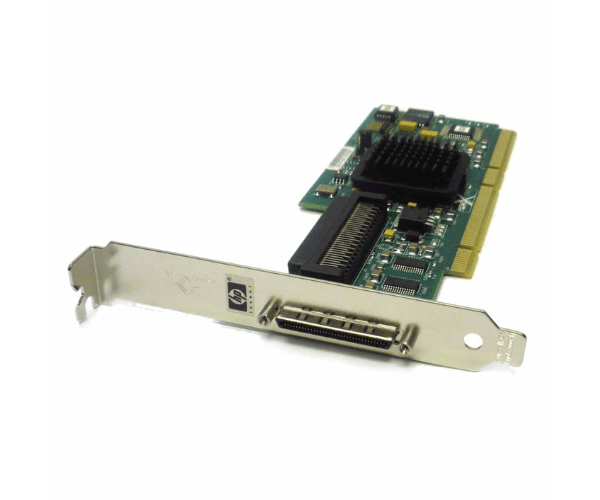
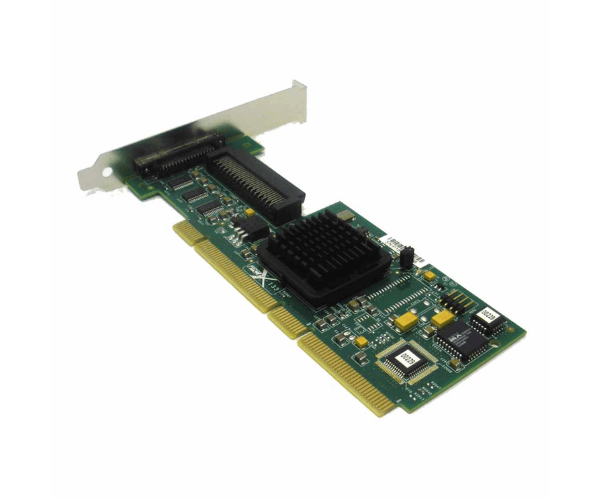
HP 403051-001 U320 Single Channel Adapter
The HP 403051-001 U320 Single Channel Adapter is a reliable solution for connecting high-speed external storage devices to your server. Designed for efficient data transfer and enhanced performance, this adapter ensures seamless integration and high bandwidth for your storage needs, making it a crucial component for robust server environments.
User Experience
Users of the HP U320 Adapter appreciate its reliability and performance in high-demand environments. The adapter is praised for its straightforward installation and stable data transfer rates. Its compatibility with various HP servers and storage solutions makes it a versatile choice for upgrading server storage capabilities, ensuring efficient and uninterrupted operation.
Why Choose the HP 403051-001 U320 Single Channel Adapter?
The
HP U320 Adapter offers high-speed connectivity with a data transfer rate of 320 MB/s, making it an ideal choice for enhancing server performance. Its single-channel SCSI interface provides reliable and fast data transfers, and its compatibility with a range of HP servers and storage solutions ensures seamless integration. For organizations seeking to optimize their server's data handling capabilities, the HP 403051-001 U320 Adapter delivers dependable and efficient performance.
Key Features
- High-Speed Data Transfer: Achieves up to 320 MB/s transfer rate, ensuring rapid data movement and improved server performance.
- Single Channel SCSI Interface: Provides reliable and direct connection for external SCSI devices, enhancing data management.
- Broad Compatibility: Works with various HP ProLiant servers and HP StorageWorks, offering versatile deployment options.
- Easy Installation: Designed for straightforward installation into PCI-X slots, minimizing setup time and effort.
- Reliable Performance: Engineered for consistent and stable operation, even in demanding environments.
Installation Steps
- Power Down: Ensure the server is powered off and unplugged before beginning installation.
- Open Server Chassis: Remove the server cover to access the PCI-X slots.
- Insert Adapter: Carefully insert the HP U320 Adapter into an available PCI-X slot.
- Secure Adapter: Ensure the adapter is securely seated and fasten any necessary screws to hold it in place.
- Close Chassis: Replace the server cover and secure it properly.
- Power On: Plug in and power on the server.
- Install Drivers: Install the necessary drivers for the adapter, available from HP’s support site or included with the adapter.
- Configure Settings: Use the server's management tools to configure the adapter settings and connect it to the external SCSI device.
- Verify Operation: Check the device manager or system settings to confirm the adapter is functioning correctly and detect the connected SCSI device.