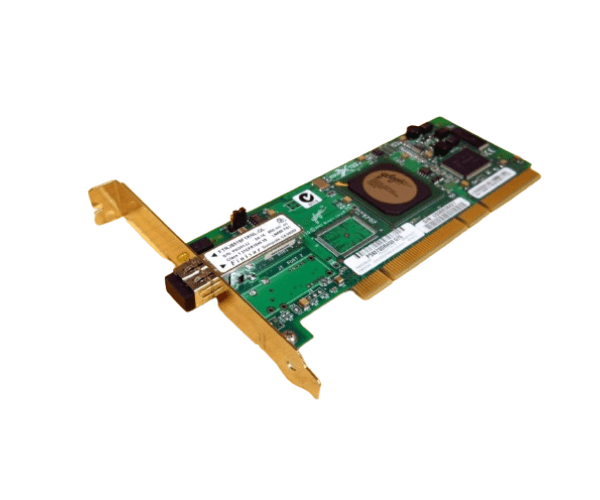
HP 283384-001 2GB FCA2214 Fibre Channel (FC) PCI-X HBA
The HP 283384-001 2GB FCA2214 Fibre Channel (FC) PCI-X HBA is a high-performance Host Bus Adapter designed to deliver fast and reliable Fibre Channel connectivity. With 2GB of memory and PCI-X compatibility, this adapter is ideal for enhancing storage performance and managing high-speed data transfers in server environments.
User Experience
The HP 283384-001 2GB FCA2214 Fibre Channel PCI-X Host Bus Adapter is recognized for its excellent performance and reliability. Users benefit from its fast data transfer rates and efficient management of Fibre Channel connections. The adapter’s 2GB of onboard memory enhances performance, making it suitable for demanding storage applications and large-scale data environments.
Why Choose the HP 283384-001 2GB FCA2214 Fibre Channel (FC) PCI-X Host Bus Adapter?
Choosing the
HP 283384-001 2GB FCA2214 Fibre Channel (FC) PCI-X Host Bus Adapter provides superior Fibre Channel connectivity and high-speed data transfer capabilities. With its 2GB of memory and PCI-X compatibility, this adapter is designed for performance-driven environments where reliability and speed are crucial. Its robust features make it a top choice for enhancing server and storage system performance.
Key Features
- 2GB Onboard Memory: Provides ample memory for efficient data processing and performance enhancement.
- High-Speed Data Transfer: Supports up to 2 Gbps data transfer rates for fast and reliable performance.
- Single Fibre Channel Port: Connects one Fibre Channel device for streamlined connectivity.
- PCI-X Compatibility: Fits into standard PCI-X slots for easy installation and integration.
- Reliable Performance: Ensures stable and consistent connections in high-demand environments.
Installation Steps
- Power Down the System: Turn off your computer or server and disconnect it from the power source.
- Open the Case: Remove the cover or side panel of your computer or server case.
- Locate the PCI-X Slot: Identify an available PCI-X slot on the motherboard.
- Insert the Adapter: Align and insert the HP 283384-001 2GB FCA2214 Fibre Channel (FC) PCI-X Host Bus Adapter into the PCI-X slot.
- Secure the Adapter: Use screws or clips to secure the adapter to the case.
- Close the Case: Replace and secure the cover or side panel.
- Reconnect and Power On: Reconnect the power supply and turn on the system.
- Install Drivers: Follow the provided instructions to install any necessary drivers for the adapter.
- Verify Connectivity: Ensure the Fibre Channel port is functioning correctly and the connected device is recognized.