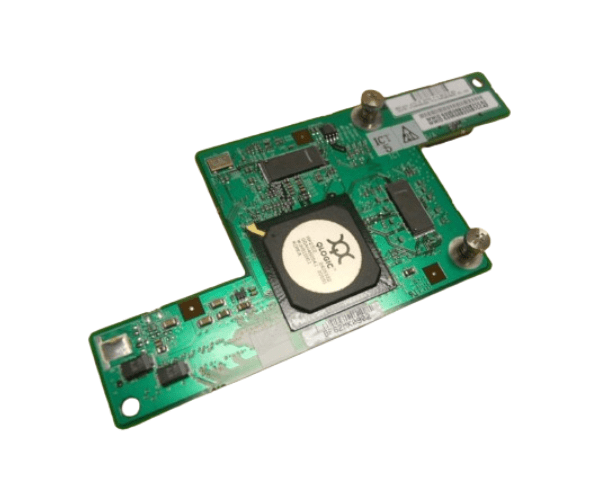
HP 381813-001 2GB Fiber Channel Adapter Dual Port
The HP 381813-001 2GB Fiber Channel Adapter Dual Port is a high-performance networking solution designed for robust data transfer and reliable connectivity. With dual ports and a 2GB capacity, this adapter is ideal for demanding enterprise environments that require efficient and stable network communication.
User Experience
Users of the HP 381813-001 2GB Fiber Channel Adapter 2-Port appreciate its seamless integration and reliable performance. The dual ports provide consistent and high-speed data transfer, enhancing overall network efficiency. Installation is straightforward, and the adapter’s compatibility with HP servers and storage systems ensures a hassle-free experience.
Why Choose the HP 381813-001 2GB Fiber Channel Adapter Dual Port?
The
HP 381813-001 2GB Fiber Channel Adapter 2-Port is a superior choice for enterprise environments requiring dependable and high-speed network connectivity. Its dual ports offer robust performance, ensuring efficient data transfer for critical applications. The adapter integrates effortlessly with HP servers and storage systems, providing a reliable and efficient networking solution. Choosing the HP 381813-001 2GB Fiber Channel Adapter 2-Port guarantees enhanced network performance and reliability.
Key Features
- Dual Ports: Provides high-speed fiber channel connectivity with up to 2 Gbps per port.
- PCI-X Interface: Ensures compatibility with HP servers and storage systems.
- Reliable Data Transfer: Supports stable and efficient data movement for demanding applications.
- Easy Installation: Simple to install and integrate with existing systems.
- Durable Design: Built to operate within a wide range of temperatures and humidity levels.
- Low Power Consumption: Operates efficiently with a power usage of 15 Watts.
Installation Steps
- Power Down: Turn off your HP server or storage system and disconnect it from the power source.
- Open the Case: Remove the system’s case to access the PCI-X slots.
- Insert the Adapter: Carefully insert the HP 381813-001 2GB FC Adapter Dual Port into an available PCI-X slot.
- Secure the Adapter: Fasten the adapter to the chassis using the screws provided.
- Reconnect Power: Close the system case, reconnect the power, and turn the system on.
- Install Drivers: Install the necessary drivers and software for the adapter.
- Connect Devices: Attach your fiber channel cables to the dual ports and configure settings as needed.