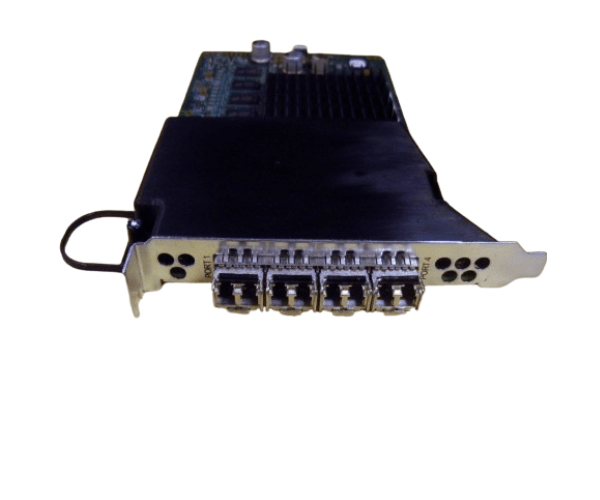
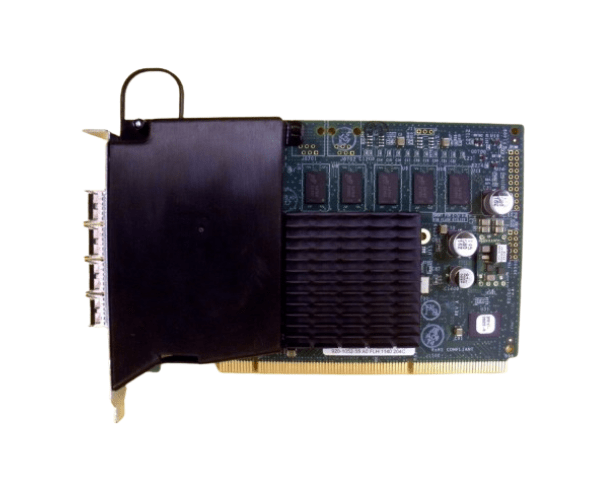
HP 3PAR QL220B 5697-1327 4-Port 4Gb Fibre Channel Adapter
The HP 3PAR QL220B 5697-1327 4-Port 4Gb Fibre Channel Adapter is designed to provide high-speed and reliable connectivity for HP 3PAR storage systems. With four ports supporting 4Gb Fibre Channel, this adapter ensures efficient data transfer and seamless integration, enhancing the performance of your storage network.
User Experience
Users of the HP 3PAR QL220B 5697-1327 4Port 4Gb Fibre Channel Adapter often highlight its reliability and high-speed performance. The four-port configuration allows for robust connectivity and efficient data transfer, essential for high-demand applications and large-scale storage solutions. The adapter’s seamless compatibility with HP 3PAR systems ensures a smooth setup and optimal operation, making it a preferred choice for enterprises seeking dependable and high-performance storage connectivity.
Why Choose the HP 3PAR QL220B 5697-1327 4Port 4Gb Fibre Channel Adapter?
The
HP 3PAR QL220B 5697-1327 4Port 4Gb Fibre Channel Adapter is an excellent choice for those seeking superior performance and connectivity. Featuring four Fibre Channel ports and a 4Gbps transfer rate, the HP 3PAR QL220B 5697-1327 adapter enhances the efficiency of your storage network. Its compatibility with HP 3PAR storage systems ensures a seamless integration process, making the HP 3PAR QL220B 5697-1327 adapter a valuable component for optimizing data transfer and system performance. The HP 3PAR QL220B 5697-1327 4-Port 4Gb Fibre Channel Adapter stands out for its ability to support high-demand environments and deliver reliable, high-speed connectivity.
Key Features
- Four Ports: Provides four Fibre Channel ports for enhanced connectivity and data throughput.
- 4Gbps Speed: Supports high-speed data transfer to handle demanding applications.
- PCIe Interface: Offers fast and reliable integration with modern servers.
- Low Profile Form Factor: Fits into various server configurations for easy installation.
- HP 3PAR Compatibility: Designed to integrate seamlessly with HP 3PAR storage systems.
- Efficient Data Handling: Ensures minimal latency and maximum performance for critical applications.
Installation Steps
- Power Down the Server: Turn off the server and disconnect it from the power source.
- Open the Server Case: Remove the screws or latches to open the server case.
- Locate the PCIe Slot: Find an available PCIe slot on the server motherboard.
- Insert the Adapter: Carefully insert the HP 3PAR QL220B 5697-1327 4Port 4Gb Fibre Channel Adapter into the PCIe slot.
- Secure the Adapter: Fasten the adapter to the server chassis using the provided screws or latches.
- Connect the Cables: Attach the necessary Fibre Channel cables to the adapter’s ports.
- Close the Server Case: Replace and secure the server case cover with screws or latches.
- Power Up the Server: Reconnect the power source and turn on the server.
- Install Drivers: Download and install the appropriate drivers from the HP support website.
- Configure the Adapter: Use the operating system’s configuration tools to set up the adapter.