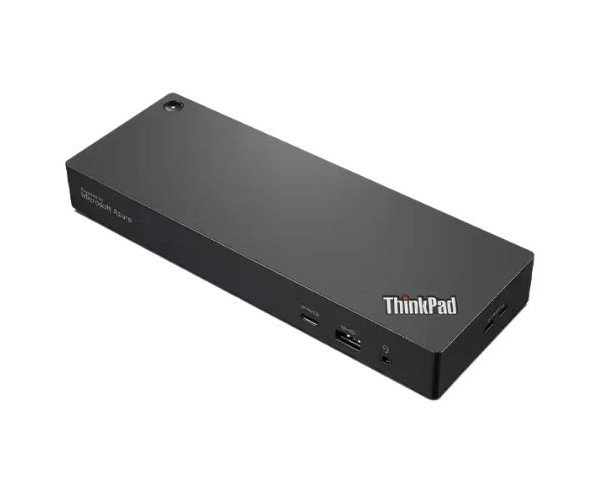
About the Lenovo ThinkPad Universal 40B10135US Thunderbolt 4 Smart Dock Station
The Lenovo ThinkPad Universal 40B10135US Thunderbolt 4 Smart Docking Station is a powerful, future-ready docking solution that connects your laptop to multiple devices. It delivers faster data, video, and charging through a single Thunderbolt 4 cable.
Lenovo ThinkPad Universal 40B10135US Thunderbolt 4Smart Docking Station in BD
The Lenovo ThinkPad Universal 40B10135US Thunderbolt 4 Smart Docking Station offers users a more simplistic approach to work with a single, high-speed connection. It will give you multiple display support, faster data, and great power delivery for fortifying your laptop into a desktop powerhouse. The dock is perfect for professionals who need to work from a different location and for office applications.
User Experience
The Lenovo ThinkPad Universal 40B10135US Thunderbolt 4 Smart Docking Station is, as its name would suggest, painless in practice. A decent Thunderbolt 4 cable is all you need to beam HD content over to your dock-connected keyboard, mouse, and dual monitors plus 1 GB Ethernet. Transferring files? Whoosh: it's done. Video playback on the displays is crystal clear. In keeping with Lenovo's design philosophy of balanced architecture, the dock brings tidiness to your workspace, puts the clutter away, and keeps the laptop charging. Despite running multiple apps or editing a video, performance is at its best. It is a device, after all, that is apt for plug and play, and saves time by being quite simple.
Why Choose the Lenovo ThinkPad Universal 40B10135US Thunderbolt 4 Smart Docking Station?
The whole process of tying in those multiple cables every morning is out now, and the Lenovo Universal 40B10135US Thunderbolt 4 Smart Dock is perfect if you wish to eternally relieve yourself of those days. The dock supports fast data transfer and high-resolution displays and charges your laptop while you use it. Thunderbolt 4 ensures the latest options in speed and efficiency. The Lenovo docking station is suitable to be used with most of the modern days available laptops and designed with a decent look that fits any setup necessary. Lenovo is really reliable, and this docking station has been built for long-lasting existence and performance.
Because it combines performance, quality, and speed.
Installation Steps
- Unboxing of the Docking Station
Unpack the Lenovo ThinkPad Universal 40B10135US Thunderbolt 4Smart Dock Station along with the Thunderbolt 4 cable.
- Plug in Power
Place it beside your laptop or monitor for better access.
- Step 2: Plug in the power
Plug the dock into the power supply with the provided power adapter.
- 3: Connect the Thunderbolt 4 Cable
One needs to be connected at the dock, and the other to your laptop's Thunderbolt 4 port.
- 4: Connecting Peripherals
Connect your monitor, wireless keyboard, wireless mouse, Ethernet, and other devices to the dock.
- 5: Start the Laptop
Once the laptop detects the drivers that are installed for the dock, it will then install them itself.
- 6: Use
Everything should be okay now.