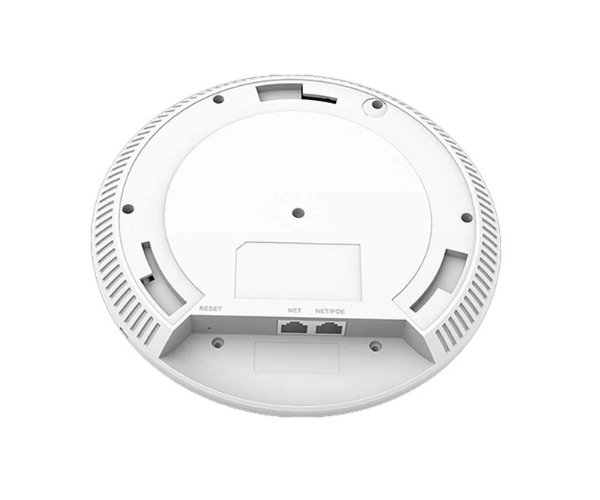
About Grandstream GWN7664E Wi-Fi Indoor Access Point
The Grandstream GWN7664E Wi-Fi Indoor Access Point is an indoor access point of high performance to provide enterprise-grade indoor networks. It offers Wi-Fi 6, which offers high wireless speed, enhanced stability, and improved coverage. It can be installed in offices, schools, and business centers to provide secure and seamless connectivity to a large number of users.
Grandstream GWN7664E Wi-Fi Indoor Access Point in Bangladesh
The Grandstream GWN7664E Wi-Fi Indoor Access Point is available in Bangladesh through approved IT products dealers. As more and more businesses and educational institutions need fast and secure Wi-Fi, the product is the ultimate choice. BD business houses are now experiencing the best wireless connectivity with the powerful technology of Grandstream.
User Experience of Grandstream GWN7664E Wi-Fi Indoor Access Point
The Grandstream GWN7664E Wi-Fi Indoor Access Point subscribers have seamless, high-speed, and secure connections across extensive indoor areas. IT administrators favor its easy deployment with GWN.Cloud as well as user management of dozens without compromising on signal. Its compatibility with external antennas makes it ideal for custom installations.
Why Choose Grandstream GWN7664E Wi-Fi Indoor Access Point
Choose the Grandstream GWN7664E Wi-Fi Indoor Access Point for its flexibility, scalability, and reliability. With Wi-Fi 6 technology and cloud management, along with external antennas supported, it's ideal for today's smart businesses. It offers secure, high-speed wireless networking to support high-density applications with hundreds of devices installed.
Key Features
- Dual-band Wi-Fi 6 with a maximum data rate of up to 3.55 Gbps.
- 4x4:4 MU-MIMO on both bands for optimal data transmission.
- Supports over 750 devices at a time.
- 2 supported PoE/PoE+ Gigabit LAN ports.
- 4 SMA antenna ports for external installation.
- WPA3 encryption, MAC filtering, and secure boot.
- Managed by GWN.Cloud, GWN Manager, or local Web UI.
- Wall- and ceiling-mountable for indoor mounting.
- Optional customizable antenna configuration for directional signal coverage.
- High-density indoor installations are ideal for it.
How to Maintain Grandstream GWN7664E Wi-Fi Indoor Access Point?
To maintain the Grandstream GWN7664E in good operating condition, update firmware via GWN.Cloud or local access at all times. Test the antenna connections every now and then to have good signals. Dry cloth clean and dust-free.
Check network performance and user load using management dashboard and make necessary adjustments accordingly.
Installation Steps
Unpack the Grandstream GWN7664E and check the components:
- Mount the device on ceiling or wall using the bracket.
- Secure Ethernet cable from injector or PoE switch.
- Mount-on SMA connectors secured externally.
- Access via GWN.Cloud or browser to install.
- Configure SSID, password, and network protection options.
- Verify signal range and device speed.
Where It Can Be Used?
- Business office areas and meeting areas.
- Training schools, colleges, and training schools.
- Interior business and hotel areas.
- Hospitals and health centers.
- Conference centers and event halls.
- Residential housing or blocks of flats.
- Government offices and admin buildings.
- Distribution centers and warehouses.
Pricing and Availability
This product is available in various shops across Bangladesh. For the best price, page at
Crystal Vision Solutions.