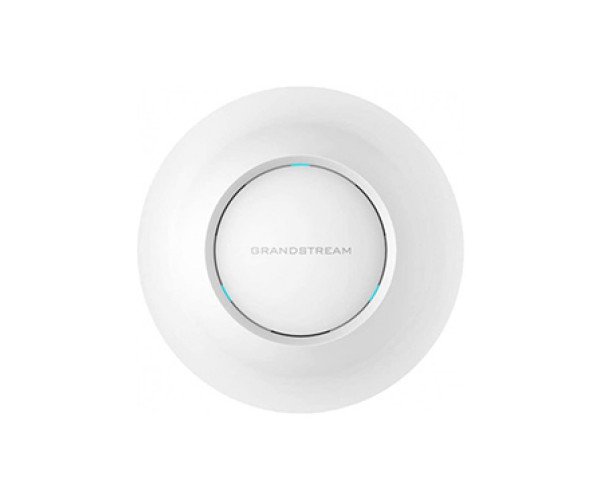
About The Grandstream GWN7615 Wi-Fi Access Point
The Grandstream GWN7615 Wi-Fi Access Point is a high-performance wireless networking dual-band Wi-Fi Access Point meant to be deployed in multi-level buildings and small to medium businesses. With MU-MIMO technology, it offers strong and secure connections. It is ideal to utilize in retail stores, schools, and offices and provides speed, security, and scalability in a single powerful device.
Grandstream GWN7615 Wi-Fi Access Point in Bangladesh
The Grandstream GWN7615 Wi-Fi Access Point can be purchased in Bangladesh from leading tech distributors, networking stores, and online shops. It offers an affordable, professional-grade solution for businesses that need reliable, high-speed Wi-Fi. The access point is readily available in Bangladesh because of its quality, ease of use, and scalability for growing networks.
User Experience of Grandstream GWN7615 Wi-Fi Access Point
Customers of the Grandstream GWN7615 Wi-Fi Access Point sing praises about rock-solid performance, excellent range, and issue-free streaming. Its top-of-the-line MU-MIMO technology allows for numerous users to be served interruption-free. IT admins especially adore the seamless integration with GWN.Cloud for remote configuration and management without needing to be on site.
Why Choose the Grandstream GWN7615 Wi-Fi Access Point?
The Grandstream GWN7615 Wi-Fi Access Point is ideal for those companies that need enterprise-grade performance at low costs. Dual-band capability makes it capable of providing high-speed connectivity on more than one floor or in highly populated areas. With high-grade security and support for over 200 users, it's a secure choice for network expansion.
Key Features
- 1300 Mbps Total Wi-Fi Speed for bandwidth-intensive application support.
- Dual-band MU-MIMO Support for multi-user connectivity of the next generation.
- 200+ Device Capacity for schools and offices with high-density areas.
- WPA3-encrypted Secure Access and enhanced VLAN support.
- GWN.Cloud Management for secure remote network management anywhere.
- PoE Support for easy cabling and installation.
How to Maintain the Grandstream GWN7615 Wi-Fi Access Point
In order to maintain the Grandstream GWN7615 Wi-Fi Access Point in the best working condition:
- Periodically firmware update through the GWN.Cloud platform or web UI.
- Carefully monitor the device logs and reports to know the possible performance issues in advance.
- Keep the device in a cool, well-ventilated area to prevent overheating.
- Reboot the access point from time to time to clear its memory.
- Make a secure backup of your network configuration.
Installation Procedure
- Unbox Grandstream GWN7615 Wi-Fi Access Point and mounting hardware.
- Mount a middle-of-the-line location for optimal coverage.
- Mount the device firmly on the wall or ceiling.
- Insert the Ethernet cable into a PoE injector or switch.
- Wait for the device to boot and power on.
- Open the configuration interface using browser or GWN.Cloud.
- Set up SSIDs, security, and VLAN settings.
- Test the signal strength and make adjustments.
Where Can Be Used?
The Grandstream GWN7615 Wi-Fi Access Point can be ideally used for:
- Offices and Corporates: Guest and employee networks.
- Educational Institutions: For Wi-Fi campus and online classes.
- Retail Outlets: For uninterrupted customer experience with ongoing internet.
- Healthcare Centers: For effective and safe communication.
- Hospitality Industry: Hotels and resorts utilize it to provide uninterrupted guest connectivity.
Pricing and Availability
This product is available in various shops across Bangladesh. For the best price, page at
Crystal Vision Solutions.