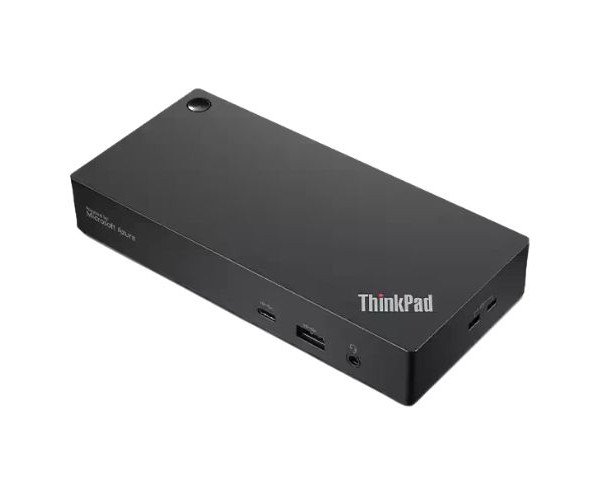
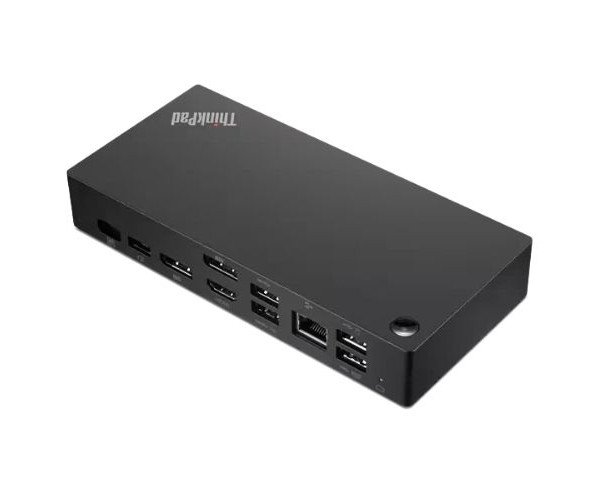
About the Lenovo ThinkPad 40B20135US Universal USB Type-C Dock
The Lenovo ThinkPad 40B20135US Universal USB-C Smart Dock is a powerful docking solution designed to simplify connections, improve productivity, and support dual displays. It’s perfect for modern workspaces that demand flexibility and fast performance.
Lenovo ThinkPad 40B20135US Universal USB-C Smart Dock in BD
With its powerful connectivity and smarter design, the Lenovo ThinkPad 40B20135US Universal USB-C Smart Dock gives your workspace a solid upgrade. Home or office, work is always a smoother experience with dual display capability, fast data transfer, and the convenience of power delivery-all with just one cable, a USB-C cable.
User Experience
The experience of using the Lenovo ThinkPad 40B20135US Universal USB-C Dock is like upgrading all the devices in your workstation using just one connection. Just plug in this simple installation, and enjoy excellent performance. You can connect multiple 4K displays and run lots of apps without delays. It charges the laptop, and it contains many ports for your keyboard, mouse, external drives, and others. Users rave about how compact but powerful this device entering-no more reaching behind your desk or plugging and unplugging multiple cables. It truly simplifies how you work, helping you focus on making magic happen.
Why Choose the Lenovo ThinkPad 40B20135US Universal USB-C Smart Dock?
The Lenovo ThinkPad 40B20135US Universal USB-C Smart Docking is designed for demanding professionals looking for a powerful, future-ready docking solution. This device comes with dual display support in stunning 4K and fast USB data transfer, along with Gigabit Ethernet and up to 100W power delivery. It is the smart design that cleans up the desk, and works with both Windows and Mac laptops. You get top performance and reliability with the Lenovo ThinkPad 40B20135US Universal USB-C Docking Station : All-in-one dock you can trust every day. That is the reason it is the smartest choice in modern workspace setups.
Steps for Installation
- Unbox the Lenovo ThinkPad 40B20135US Universal USB-C Smart Docking. Connect it to the power adapter.
- Insert the dock's USB-C cable into your laptop.
- Connect your monitors through HDMI or DisplayPort.
- Add your USB devices (keyboard, mouse, storage drives, etc.).
- Plug in the Ethernet cable for wired internet.
- Connect headphones or speakers to the audio jack if needed.
- Turn your laptop on-the dock auto-detects and will set up most devices.
- Download from Lenovo's support site any required drivers for full compatibility.
- And there you have your new, uncluttered hyper-efficient workstation.