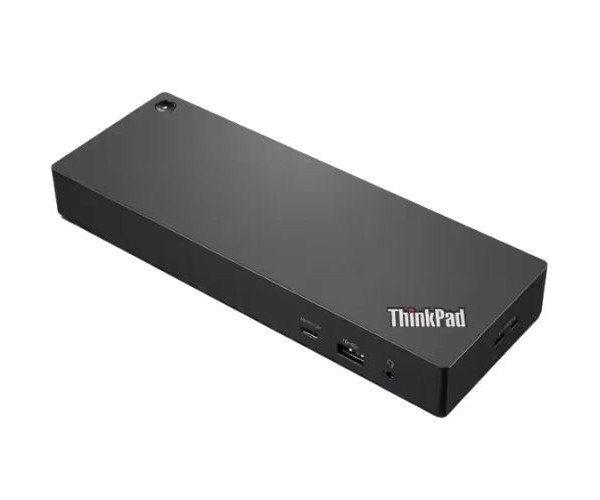
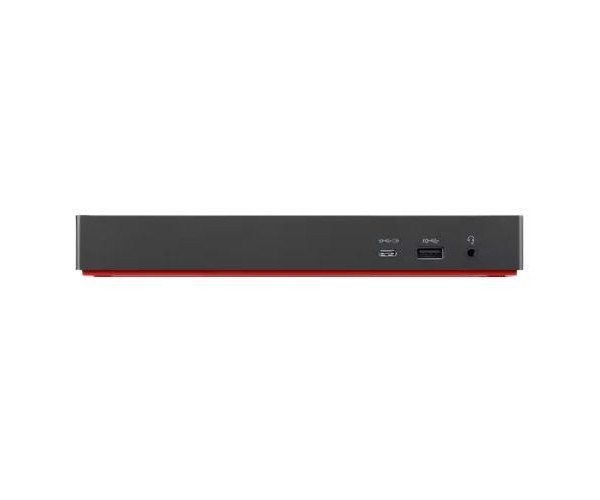
About the Lenovo ThinkPad 40B00300US Thunderbolt 4 Workstation Dock Station
The Lenovo ThinkPad 40B00300US Thunderbolt 4 Workstation Docking Station is a powerful and reliable docking station made for professionals. It boosts productivity by connecting multiple devices through just one Thunderbolt 4 cable, giving fast data speeds and flexible connectivity.
Lenovo ThinkPad 40B00300US Thunderbolt 4 Workstation Docking Station in BD
The Lenovo ThinkPad 40B00300US Thunderbolt 4 Workstation Docking Station is a docking station to move smart and quickly. Capable of supporting up to four displays over Thunderbolt 4's ultra-fast connection, it converts your laptop into a powerful workstation with just one cable. A perfect fit for both home and office.
User Experience
The Lenovo ThinkPad 40B00300US Thunderbolt 4 Workstation Docking Station operates like a charm. You plug in one cable, and suddenly, your laptop is powered, connected to multiple monitors, a keyboard, mouse, and even the fast internet. Reliability, speed, and ease of everyday use are terms used by its users. Its sleek design saves space on the desk, while its sturdy build makes it last. Video editing, data management, or mere multitasking—that dock keeps everything connected and running on cue. This thing is a real game-changer for busy professionals!
Why Choose the Lenovo 40B00300US Thunderbolt 4 Workstation Docking Station?
Choosing the Lenovo ThinkPad 40B00300US Thunderbolt 4 Workstation Dock Station means choosing reliability, speed, and ease of connection. With support for multiple displays, multitasking is faster. Thunderbolt 4 guarantees rapid data transfer and stability. Lenovo is a well-recognized brand, and this docking station is meant for professional use. There are several extra USB ports; audio jack, Ethernet, everything squeezed into a sleek design. The Lenovo ThinkPad 40B00300US Thunderbolt 4 Workstation Dock Station takes away the hassle involved in plugging and unplugging your devices. It is smart, future-ready, and built for a successful accomplishment.
Installation Steps
- Unpack the docking station- Lenovo Think-Pad 40B00300US Thunderbolt 4 Workstation Docking Station.
- Connect the power adapter to the docking station.
- Connect the Thunderbolt 4 cable into your compatible laptop.
- Connect the external monitors with HDMI or DisplayPort.
- Connect USB devices, including mouse, keyboard, or flash drive.
- Connect the Ethernet cable if necessary.
- Wait a few seconds as the required driver installation happens automatically.
- Enjoy your new workstation setup - everything runs like a dream!