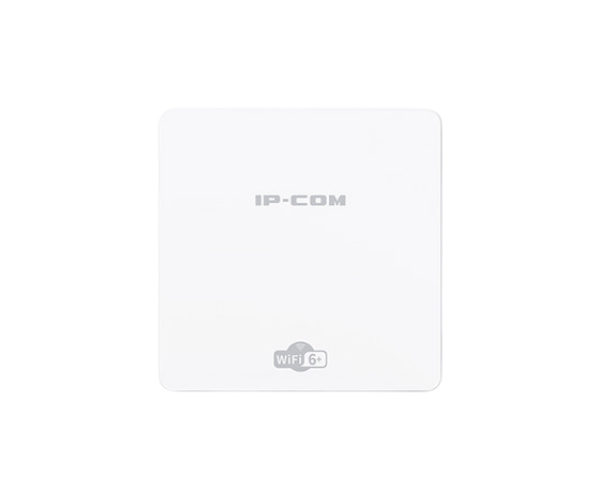
About the IP-COM AX3000 Wi-Fi 6 Wireless In-Wall Access Point
The IP-COM AX3000 Wi-Fi 6 Wireless In-Wall Access Point provides seamless, high-speed connectivity with the latest Wi-Fi 6 technology. Designed for in-wall installation, it supports high-performance internet access for both home and office environments, offering enhanced speeds and more reliable connections.
IP-COM AX3000 WiFi-6 Wireless In-Wall Access Point in BD
The IP-COM AX3000 Wi-Fi 6 Wireless Access Point leverages Wi-Fi 6 technology to deliver superior connectivity for both residential and commercial environments. It’s designed for easy in-wall installation and delivers a high-speed, stable wireless experience. With support for multiple devices and increased capacity, this access point is perfect for high-traffic environments.
User Experience
Users of the IP-COM AX3000 WiFi 6 Wireless In-Wall Access Point report impressive performance, especially in homes or offices with high device density. The access point provides seamless coverage across multiple rooms, ensuring that users enjoy smooth, uninterrupted internet access. With Wi-Fi 6 technology, the AP handles simultaneous connections with ease, making it ideal for smart homes or workplaces with heavy internet usage. Its in-wall design blends effortlessly into any environment, providing a clean, modern look while maintaining excellent wireless speeds.
Why Choose the IP-COM AX3000 Wi-Fi 6 Wireless In-Wall Access Point?
The IP-COM AX3000 Access Point is designed for optimal performance and reliability in high-demand scenarios. Offering cutting-edge Wi-Fi 6 features, it provides faster speeds, greater capacity, and improved efficiency for both residential and commercial applications. With its sleek, compact, and easy-to-install in-wall design, it is the ideal solution for those seeking high-performance wireless access without sacrificing aesthetics. The IP-COM AX3000 ensures seamless connectivity for all devices, making it the perfect choice for environments with multiple users or smart devices.
Installation Steps
- Choose the Installation Location: Select a central area within your wall for optimal coverage. Ensure the area has access to Ethernet cables for connection to your network.
- Install the Mounting Bracket: Secure the included mounting bracket to the wall, aligning it with the device's pre-drilled holes.
- Connect the Ethernet Cable: Plug the Ethernet cable from your router or network switch into the Ethernet port on the IP-COM AX3000 Access Point.
- Mount the Device: Attach the IP-COM AX3000 access point to the mounted bracket, ensuring it is securely in place.
- Power Up: Power the device using PoE (Power over Ethernet), ensuring that the system is connected to a compatible PoE injector or switch.
- Configure the Device: Once powered, use the IP-COM web interface to configure the access point, including network settings, SSID, and security preferences.