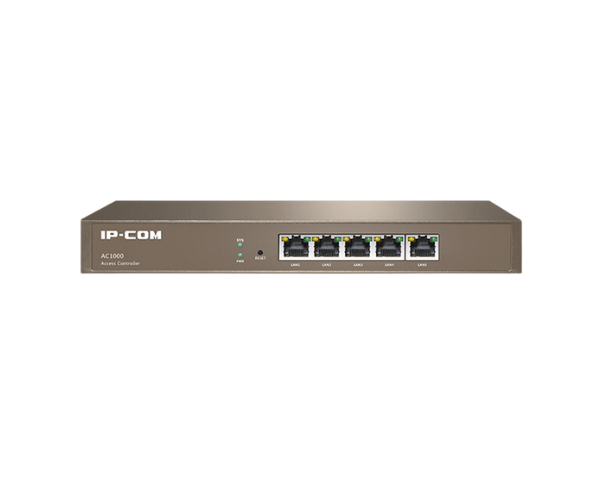
About the IP COM AC1000 AP Controller
The IP COM AC1000 AP Controller is a centralized management device designed to control and monitor wireless access points (APs). Offering seamless connectivity and robust performance, it is ideal for managing multiple APs in small to medium-sized networks. Its user-friendly interface simplifies configuration and management.
IP COM AC1000 AP Controller in BD
The IP COM AC1000 AP Controller provides a simple and efficient way to manage and control multiple access points (APs) in your network. It supports up to 64 APs, offering centralized management and enhanced security features for enterprise-level wireless networks. With a user-friendly web interface, it's designed for easy deployment and network monitoring.
User Experience
The IP COM AC-1000 AP Controller is praised for its reliability and ease of use. It allows IT administrators to quickly deploy and manage a large number of APs across a network. The web interface is intuitive, and configuring settings, such as SSID, VLAN, and security protocols, is straightforward. The controller supports all modern Wi-Fi standards, ensuring compatibility with the latest access points, providing both 2.4 GHz and 5 GHz support for fast and stable connections. The device's compact design allows for convenient placement in server racks or mounted on walls, making it an ideal choice for diverse network environments.
Why Choose the IP COM AC-1000 AP Controller?
The IP COM AC1000 AP Controller offers robust features that make it a must-have for businesses looking to optimize their wireless network. Supporting up to 64 access points, it delivers seamless connectivity, centralized management, and enhanced security protocols. With its ability to handle high traffic and secure devices, the IP COM AC1000 is perfect for small to medium enterprises looking to scale their network infrastructure. Whether it's for an office or retail environment, this controller provides the performance and ease of use required to keep your network running smoothly.
Installation Steps
- Unbox the Controller: Ensure the IP COM AC1000 and all necessary cables are in the box.
- Mount the Controller: Choose a location for wall or rack mounting.
- Connect to Power: Plug the power adapter into the controller or use Power over Ethernet (PoE) for power.
- Connect Ethernet Cable: Use the provided Ethernet cable to connect the controller to your network switch or router.
- Configure Network Settings: Access the controller via the web interface to configure SSID, security settings, and IP addresses.
- Add Access Points: Connect your access points to the controller for centralized management.