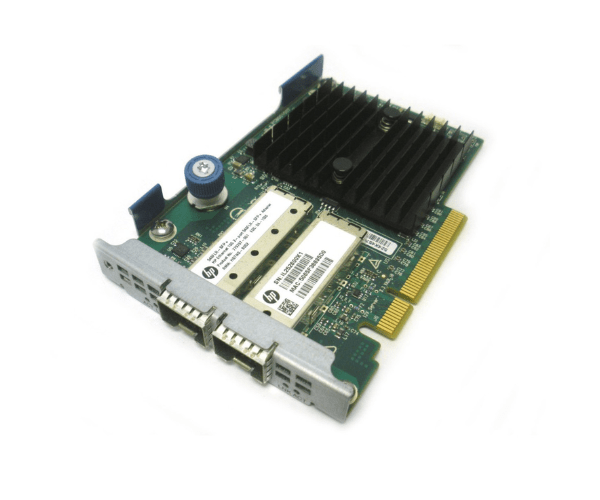
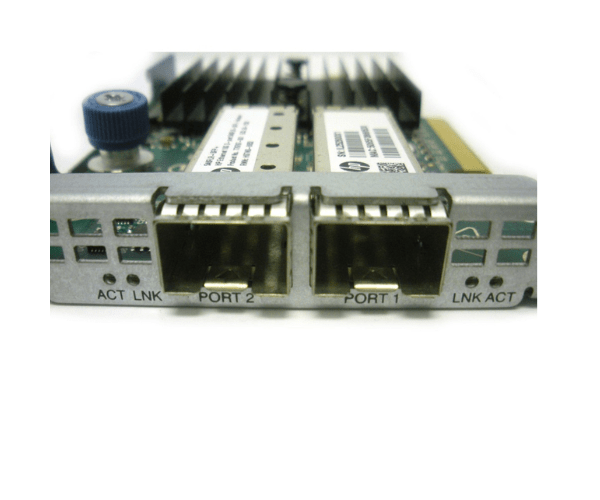
HP 790315-001 779799-B21 Ethernet 10Gb 2-Port 546FLR-SFP+ Adapter
The HP 790315-001 779799-B21 Ethernet 10Gb 2-Port 546FLR-SFP+ Adapter is a high-performance network interface card designed to provide dual 10Gb Ethernet connectivity for HP servers. Ideal for data-intensive applications, this adapter enhances network speed and reliability, ensuring robust and efficient data transfers across your network infrastructure.
User Experience
Users of the HP 790315-001 10Gb 2-Port Ethernet Adapter have reported significant improvements in network performance and reliability. The dual 10Gb ports provide high-speed connectivity, which is essential for high-bandwidth applications and large data transfers. Installation is straightforward, and the adapter’s compatibility with various operating systems makes it a versatile choice for enterprise environments.
Why Choose the HP 790315-001 10Gb 2-Port Ethernet Adapter?
The
HP 790315-001 10Gb 2-Port Ethernet Adapter stands out for its high-speed 10Gb Ethernet connectivity and dual-port configuration. This adapter delivers superior network performance and reliability, making it ideal for handling demanding applications and high-volume data transfers. Its easy integration with HP ProLiant servers and broad OS compatibility ensure a seamless deployment, making it a valuable addition to any network infrastructure.
Key Features
- High-Speed Connectivity: Offers dual 10Gb Ethernet ports for fast and efficient network data transfers.
- Flexible Form Factor: Designed as a Flexible LOM (FLR) adapter, allowing for easy integration into HP ProLiant servers.
- Broad Compatibility: Supports a range of operating systems, including Windows, Linux, and VMware.
- Enhanced Performance: Provides reliable and high-performance network connectivity for data-intensive applications.
- Easy Installation: Simple to install and configure, making it an ideal choice for upgrading network infrastructure.
Installation Steps
- Power Down: Turn off the server and disconnect it from the power source before beginning the installation.
- Open Server Chassis: Remove the server cover to access the Flexible LOM (FLR) slot.
- Insert Adapter: Carefully insert the HP 790315-001 10Gb 2-Port Ethernet Adapter into the FLR slot.
- Secure Adapter: Ensure the adapter is firmly seated and secure it with any necessary screws or locking mechanisms.
- Close Chassis: Replace and secure the server cover.
- Power On: Reconnect the server to the power source and turn it on.
- Install Drivers: Download and install the drivers for the HP 790315-001 10Gb 2-Port Ethernet Adapter from the HP support website.
- Configure Adapter: Use network management tools to configure the adapter settings and ensure proper network integration.
- Verify Operation: Check the network management interface to confirm the adapter is recognized and functioning correctly.