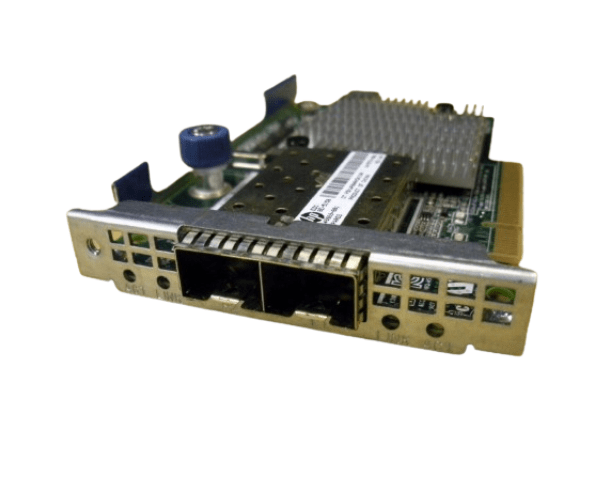
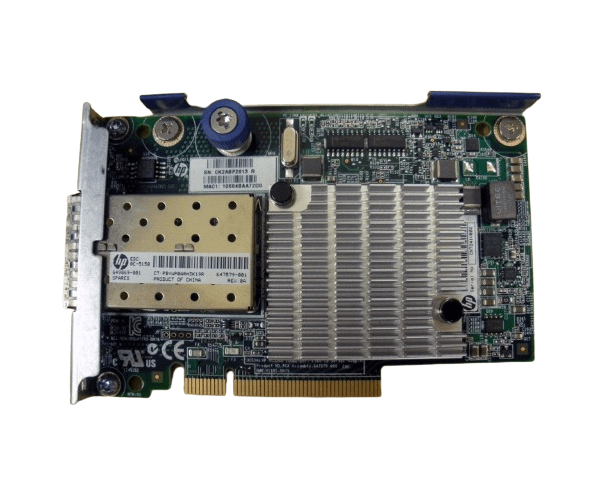
HP 684210-B21 649869-001 Ethernet 10GbE 2-Port 530FLR-SFP Adapter
The HP 684210-B21 649869-001 Ethernet 10GbE 2-Port 530FLR-SFP Adapter delivers high-speed connectivity and reliable performance for enterprise networks. Designed for data-intensive applications and virtualized environments, this dual-port adapter ensures seamless data transfer and reduced latency.
User Experience
Users of the HP 530FLR-SFP 2-Port 10GbE Adapter appreciate its superior performance and reliability. The adapter provides excellent data transfer speeds, significantly reducing latency, which is crucial for demanding applications such as virtualization, big data analytics, and cloud computing. Its seamless compatibility with HP ProLiant servers and various operating systems makes it a versatile solution for diverse IT environments.
Why Choose the HP 684210-B21 649869-001 Ethernet 10GbE 2Port 530FLR-SFP Adapter?
Choosing the
HP 684210-B21 649869-001 Ethernet 10GbE Dual-Port 530FLR-SFP Adapter ensures high-speed connectivity and dependable performance for your network needs. The dual-port design enhances network bandwidth and efficiency, making it an ideal choice for modern data centers. The HP 684210-B21 649869-001 adapter is built with advanced features that ensure smooth data flow, and its compatibility with HP ProLiant servers ensures a hassle-free integration into your existing infrastructure.
Key Features
- Dual-Port 10Gb Ethernet: Provides two 10Gb ports for enhanced data transfer speeds.
- FlexibleLOM Interface: Ensures high-speed connectivity and compatibility with modern servers.
- Low Profile Form Factor: Fits easily into various server configurations.
- HP ProLiant Compatibility: Seamlessly integrates with HP ProLiant servers.
- Reduced Latency: Offers low-latency network performance for data-intensive applications.
- Wide OS Support: Compatible with Windows and Linux operating systems.
Installation Steps
- Power Down the Server: Turn off the server and disconnect it from the power source.
- Open the Server Case: Remove the screws or latches to open the server case.
- Locate the FlexibleLOM Slot: Identify an available FlexibleLOM slot on the server motherboard.
- Insert the Adapter: Carefully insert the HP 684210-B21 649869-001 Ethernet 10GbE 2Port 530FLR-SFP Adapter into the FlexibleLOM slot.
- Secure the Adapter: Fasten the adapter to the server chassis using the provided screws or latches.
- Connect the Cables: Attach the necessary network cables to the adapter's ports.
- Close the Server Case: Replace the server case cover and secure it with screws or latches.
- Power Up the Server: Reconnect the power source and turn on the server.
- Install Drivers: Install the appropriate drivers and software for the adapter from the HP support website.
- Configure the Adapter: Use the operating system's network configuration tools to set up the adapter.