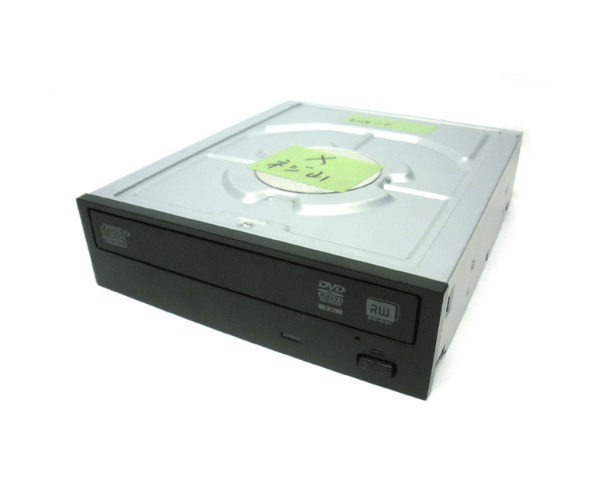
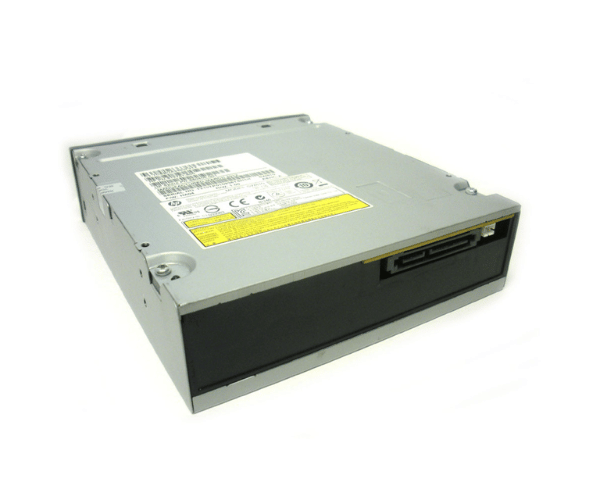
HP 660408-001 16X DVD+RW SATA Optical Drive
The
HP 660408-001 16X DVD+RW SATA Optical Drive is a reliable and efficient optical drive for users who need to read and write DVDs and CDs. With 16X DVD+RW speed, it ensures fast and smooth data transfers, making it ideal for both home and office use. This drive offers seamless compatibility with SATA interfaces and supports various formats, delivering versatility and performance.
User Experience
The
HP 660408-001 16X DVD & RW SATA Optical Drive provides a smooth and seamless experience, whether you're burning DVDs for backups or playing your favorite movies. Its high-speed performance ensures that both reading and writing processes are quick and efficient. The installation is straightforward, with plug-and-play functionality, making it user-friendly even for non-technical users. Its durable build means long-lasting use, providing dependable service for years.
Why Choose HP 660408-001 16X DVD &RW SATA Optical Drive?
The
HP 660408-001 16X DVD & RW SATA Optical Drive is the perfect solution for users who need an optical drive that delivers high performance and versatility. It offers fast DVD and CD writing speeds and supports multiple disc formats, making it ideal for data storage, media playback, and disc duplication. With the
HP 660408-001 16X DVD & RW SATA Optical Drive, you can trust the brand's commitment to quality and reliability. Whether you need it for personal or business purposes, this drive is designed to meet all your optical media needs.
Key Features
- 16X DVD+RW and 24X CD writing speed for fast data transfer
- SATA interface for high-speed connectivity and compatibility
- Supports multiple formats, including DVD+RW, DVD-RW, CD-R, and CD-RW
- Easy plug-and-play installation with no drivers required
- Reliable and durable build, ensuring long-lasting performance
- Ideal for data backups, media burning, and file archiving
Installation Steps
- Power off your computer and unplug the power cord.
- Open the computer case by removing the screws or side panel.
- Locate the 5.25-inch drive bay in your desktop.
- Insert the HP 660408-001 16X DVD+RW Optical Drive into the drive bay.
- Secure the drive with screws provided in your computer case.
- Connect the SATA cable from the drive to your motherboard.
- Reconnect the power supply cable to the drive.
- Close the computer case, plug in the power cord, and turn on your computer.
- Your computer will automatically detect the drive, and it's ready for use.