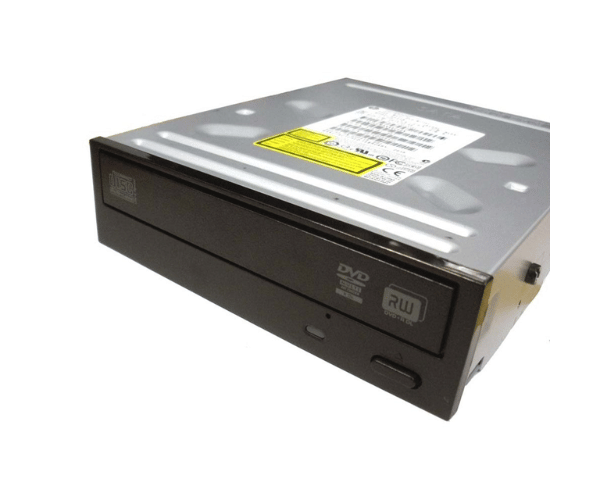
HP 690418-001 16x SATA DVD-RW Optical Drive
The
HP 690418-001 SATA DVD-RW 16x Black Optical Drive is a reliable and versatile optical drive designed for efficient DVD and CD reading and writing. With its 16x DVD writing speed and SATA interface, this drive provides fast data transfer and smooth media playback. It’s a perfect fit for home, office, or business use.
User Experience
The
HP 690418-001 16x SATA DVD-RW Drive offers a smooth user experience, especially for users who need to burn DVDs or backup important files. The 16x writing speed ensures quick disc burning, while the 24x CD speed makes copying files to CDs fast and efficient. Its SATA interface provides stable connectivity, and installation is hassle-free. For everyday media needs, from watching DVDs to storing data on discs, this drive performs consistently and reliably.
Why Choose HP 690418-001 SATA DVD-RW 16x Optical Drive?
Choosing the
HP 690418-001 SATA DVD-RW 16x Optical Drive guarantees high-speed, dependable performance for all your optical media needs. Whether you need to archive important data, burn media content, or back up files, this drive delivers excellent results. Its black finish complements most desktop setups, making it an ideal choice for modern PCs. The
HP 690418-001 SATA DVD-RW 16x Optical Drive combines performance and reliability in a cost-effective package, making it perfect for both personal and professional use.
Key Features
- 16x DVD-RW write speed ensures quick and efficient data transfer
- SATA interface for stable and high-speed connectivity
- Supports multiple formats: DVD-RW, DVD+RW, CD-R, and CD-RW
- Sleek black finish to match most desktop setups
- Simple installation process with plug-and-play compatibility
- Reliable performance for long-term use and media burning
Installation Steps
- Power off your desktop and unplug the power supply.
-
Remove the screws to open the side panel of your desktop.
- Find the 5.25-inch optical drive bay.
- Insert the HP 690418-001 SATA DVD-RW 16xBlack Optical Drive into the bay.
- Secure the drive with screws inside the bay.
- Connect the SATA cable from the drive to your motherboard.
- Connect the power supply cable to the drive.
- Close the computer case, plug in the power supply, and turn on the computer.
- The system will automatically detect the drive, and you’re ready to use it.