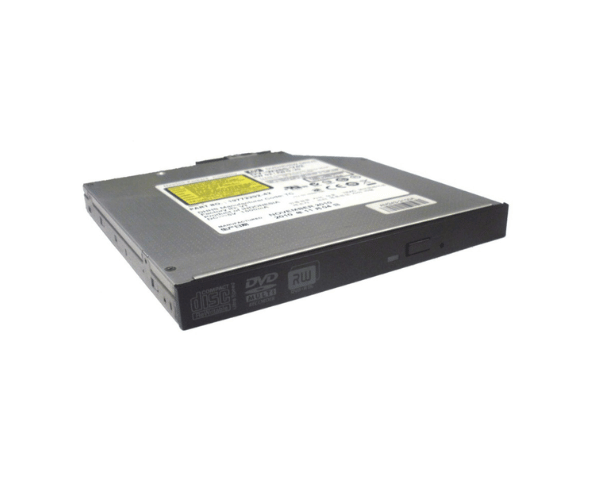
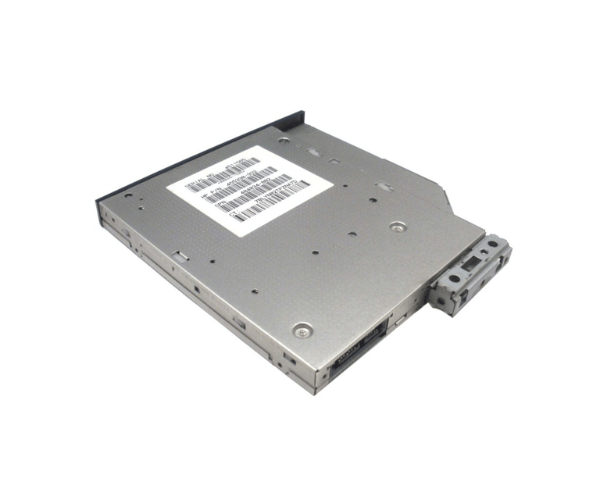
HP Integrity rx2800 AM243A Slimline DVD+RW External Optical Drive
The
HP Integrity rx2800 AM243A Slimline DVD+RW External Optical Drive offers a compact and efficient solution for external optical needs. Designed to complement the HP Integrity rx2800 system, this slimline drive provides reliable DVD and CD reading and writing capabilities with a sleek, portable design. Perfect for both professional and personal applications.
User Experience
The
HP Integrity rx2800 AM243A DVD+RW External Optical Drive delivers a seamless user experience with its high-speed performance and compact design. Users appreciate the drive's 8X DVD and 24X CD write speeds, which enable quick data transfers and reliable media burning. The USB 3.0 interface ensures fast and stable connectivity, making it easy to use across various systems. Its slimline form factor makes it portable and convenient for use with laptops or desktops, providing an excellent solution for on-the-go data handling and media playback.
Why Choose the HP Integrity rx2800 AM243A Slimline DVD+RW External Optical Drive?
Choosing the
HP Integrity rx2800 AM243A DVD+RW External Optical Drive means opting for a high-performance, external optical drive that pairs perfectly with your HP Integrity rx2800 system. This drive offers impressive speed with 8X DVD and 24X CD write capabilities, a USB 3.0 interface for rapid data transfer, and a slim, portable design for easy use. The
HP Integrity rx2800 AM243A Slimline DVD+RW External Optical Drive is designed to provide reliable and efficient performance, making it a valuable addition to your IT setup.
Key Features
- Compact and slimline external design for portability and convenience
- 8X DVD+RW write speed and 24X CD write speed for fast data transfer
- USB 3.0 interface for quick and stable connectivity
- Compatible with various formats: including DVD+RW, DVD-R, CD-R, and CD-RW
- 2 MB buffer size for smooth operation and reduced errors
- Quiet operation for an enhanced user experience
- Sleek black finish to complement modern desktop setups
Installation Steps
- Connect the HP Integrity rx 2800 AM243A Slimline DVD+RW optical drive to your computer using the provided USB 3.0 cable.
- Ensure that the drive is securely plugged into a USB port.
- Turn on your computer, and the drive should be detected automatically.
- Insert a DVD or CD into the drive to begin using it.
- If necessary, install any drivers or software that come with the drive for additional functionality.
- The drive is now ready to read or write discs.