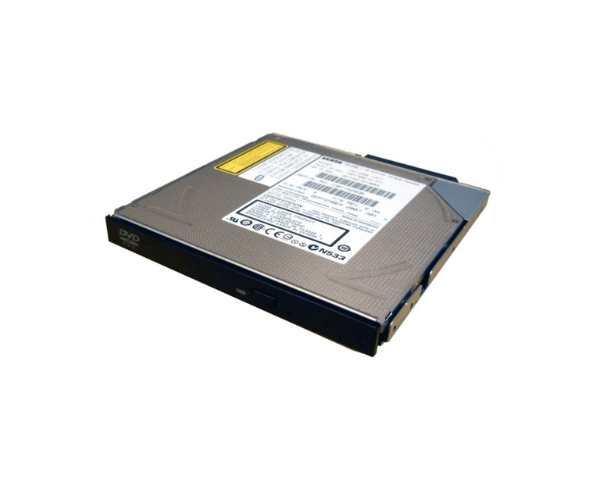
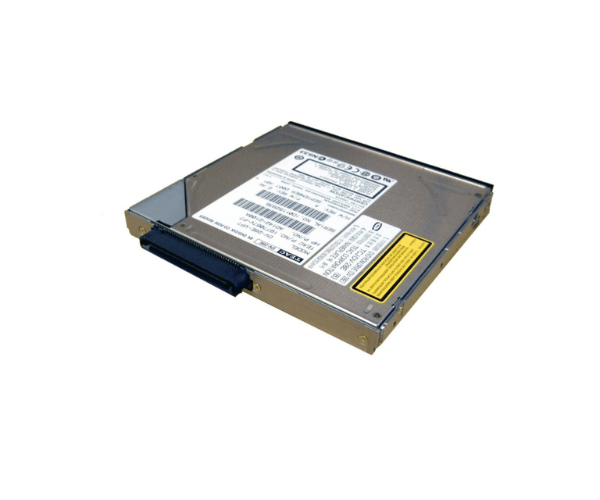
HP AD142A AD142-2100A Slimline DVD-ROM Drive
The
HP AD142A AD142-2100A Slimline DVD-ROM Drive is a compact, high-performance optical drive designed for reliable DVD and CD reading. Ideal for space-constrained environments, this slimline drive offers efficient performance and compatibility with a variety of media formats, enhancing your system's versatility.
User Experience
The
HP AD142A AD142-2100A Slimline Optical Drive provides an exceptional user experience with its reliable performance and sleek design. Users benefit from its fast 8X DVD and 24X CD read speeds, which ensure quick and efficient access to various media formats. The SATA interface guarantees stable and fast connectivity, making it an excellent choice for upgrading or replacing existing optical drives. The slimline design fits well in compact setups, and the drive's quiet operation enhances overall user satisfaction.
Why Choose the HP AD142A AD142-2100A Slimline DVD-ROM Drives?
Choosing the
HP AD142A AD142-2100A Slimline Optical Drive ensures you get a high-performance optical drive designed to handle your DVD and CD reading needs efficiently. The
HP AD142A AD142-2100A Slimline Optical Drive features a slim design, making it ideal for space-constrained environments while offering reliable SATA connectivity. Its high read speeds and support for multiple formats make it a versatile addition to your system. Opt for the
HP AD142A AD142-2100A Slimline Optical Drive for an efficient and compact solution to your optical drive needs.
Key Features
- Compact slimline design for space-saving installation
- 8X maximum DVD read speed and 24X maximum CD read speed
- SATA interface for fast and stable connectivity
- Supports multiple formats: DVD-ROM, CD-ROM, CD-R, and CD-RW
- 512 KB buffer size for smooth data reading
- 150 ms access time for DVDs and 120 ms for CDs
- Quiet operation for a better user experience
Installation Steps
- Power off your computer and disconnect it from the power source.
- Open the computer case to access the internal drives.
- Locate the 5.25-inch bay where the HP AD142A AD142-2100A DVD-ROM Drive will be installed.
- Slide the HP AD142A AD142-2100A DVD-ROM Drive into the bay and secure it with screws or mounting brackets.
- Connect the SATA cable from the drive to the motherboard.
- Attach the power cable to the drive.
- Close the computer case and reconnect the power source.
- Power on your computer. The HP AD142A AD142-2100A DVD-ROM Drive should be automatically detected and ready for use.