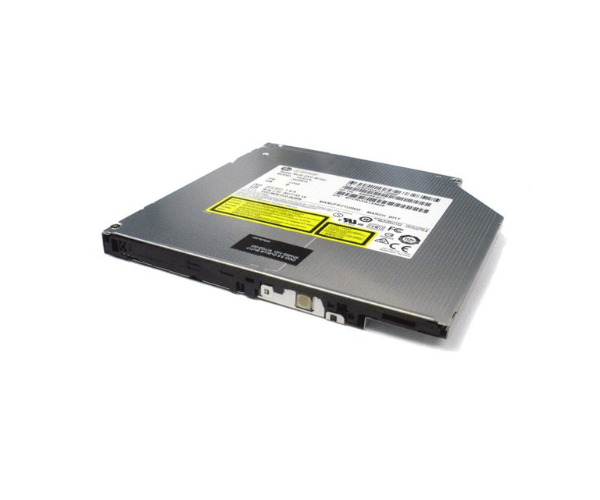
HP 917122-001 9.5mm Ultra Slim DVD-RW Optical Drive
The
HP 917122-001 DVD-RW 9.5MM Ultra Slim Optical Drive is designed for users needing a compact and efficient optical drive. With its ultra-slim profile and versatile DVD-RW capabilities, this drive offers a convenient solution for reading and writing DVDs and CDs in space-constrained environments. Ideal for laptops and slim desktops, it combines performance with a sleek design.
User Experience
The
HP 917122-001 9.5mm Ultra Slim Optical Drive is perfect for users who need an optical drive in a compact format. Its ultra-slim design fits easily into slim laptops and desktops without compromising on performance. Users appreciate its quick 8X DVD write speed and 24X CD write speed, which make data burning and media playback efficient. The drive operates quietly and reliably, ensuring a smooth experience for reading and writing various disc formats.
Why Choose the HP 917122-001 9.5mm Ultra Slim Optical Drive?
Opting for the
HP 917122-001 9.5mm Ultra Slim Optical Drive means choosing a high-performance, space-saving solution for all your optical media needs. Its ultra-slim design is perfect for laptops and compact desktops with limited space. With an 8X DVD write speed and support for multiple formats, the
HP 917122-001 9.5mm Ultra Slim Optical Drive offers both speed and versatility. This drive is designed to provide reliable and efficient performance, making it a smart choice for users needing a compact yet powerful optical drive.
Key Features
- Ultra-slim 9.5mm profile for space-saving in laptops and slim desktops
- 8X DVD write speed and 24X CD write speed for fast data transfer
- SATA interface for reliable connectivity and performance
- Supports multiple formats: DVD-RW, DVD+RW, CD-R, and CD-RW
- 2 MB buffer size for smooth data flow and minimized errors
- Quiet and efficient operation for a better user experience
- Sleek black finish to blend with modern desktop aesthetics
Installation Steps
- Turn off your computer and disconnect the power cord.
- Open the computer case or laptop bay where the optical drive will be installed.
- Locate the 9.5mm drive slot.
- Slide the HP 917122-001 9.5mm Ultra Slim DVD-RW Drive into the slot.
- Attach the drive using the included mounting screws.
- Connect the SATA cable from the drive to your motherboard.
- Attach the power cable to the drive.
- Close the computer case or laptop bay.
- Plug the power cord back in and power on your computer. The system will detect the drive automatically.