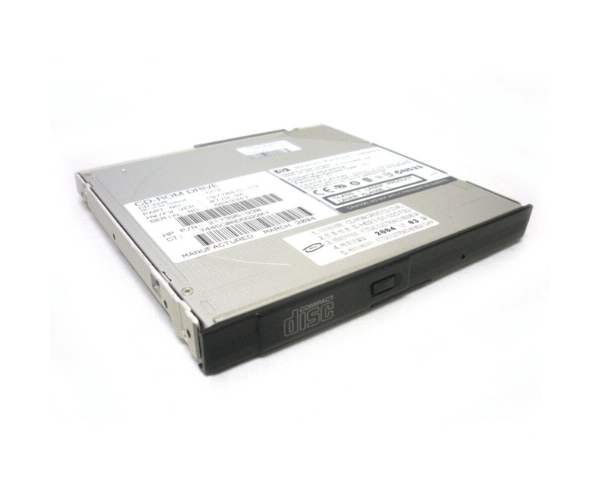
HP 315082-002 24X IDE CD-Rom Drive
The
HP 315082-002 24X IDE CD-Rom Drive is a reliable and high-speed optical drive designed for efficient data reading. With a 24X read speed, this drive is perfect for quickly accessing and retrieving information from CDs. It offers a simple, effective solution for various computing needs, enhancing your system's versatility.
User Experience
The
HP 315082-002 24X CD-Rom Drive delivers a smooth and efficient user experience with its fast 24X read speed. Users value its dependable performance for reading multiple CD formats, such as CD-ROM, CD-R, and CD-RW. The drive's IDE interface ensures compatibility with many older systems, and its internal 5.25-inch form factor makes it easy to integrate into most desktop computers. The quick access time and high data transfer rate contribute to efficient data retrieval, making it a valuable addition for users needing reliable CD access.
Why Choose the HP 315082-002 24X IDE CD-Rom Optical Drives?
Choosing the
HP 315082-002 24X IDE Rom Drive provides a dependable and high-performance solution for accessing CDs in older systems. With its 24X read speed, the
HP 315082-002 24X IDE CD Rom Drives ensures fast and efficient data retrieval. Its IDE interface offers compatibility with a range of systems, and its internal design makes installation straightforward. Whether you need to read software, data, or multimedia CDs, the
HP 315082-002 24X IDE CD Rom Drives deliver reliable performance and speed.
Key Features
- 24X maximum read speed for fast data access
- IDE interface for compatibility with older systems
- Supports multiple formats: CD-ROM, CD-R, and CD-RW
- 512 KB buffer size for effective data management
- Quick 100 ms access time for rapid retrieval
- Internal 5.25-inch form factor for easy installation
- Sleek black design to match standard desktop setups
Installation Steps
-
Shut down your computer and disconnect the power cord.
- Open the computer case to access the internal drive bays.
- Locate the 5.25-inch drive bay where the HP 315082-002 24 X IDE CD-Rom Drive will be installed.
- Slide the drive into the bay and secure it with screws or mounting brackets.
- Connect the IDE cable from the drive to the motherboard.
- Attach the power cable to the drive.
- Reassemble the computer case and plug the power cord back in.
- Power on your computer. The HP 315082-002 24X IDE CD-Rom Drives should be automatically recognized and ready for use.