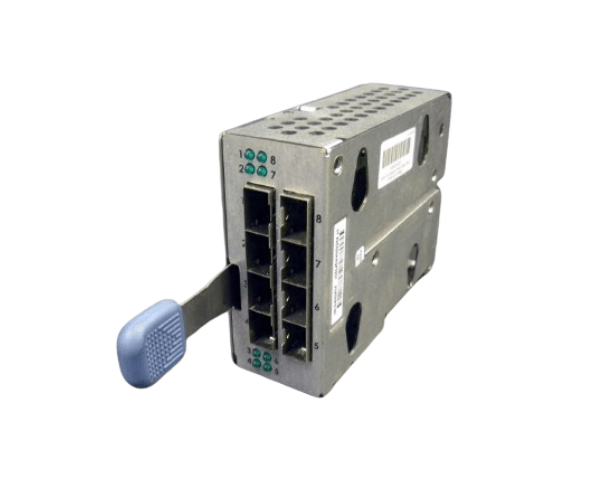
HP 321145-001 BL P-Class GbE2 SAN Cube Module with FC Conditioning Card
The HP 321145-001 BL P-Class GbE2 SAN Cube Module with FC Conditioning Card is a high-performance networking and storage solution designed to optimize data center efficiency. This module offers advanced Ethernet and Fibre Channel connectivity, ensuring reliable and fast data transfer for demanding enterprise applications.
User Experience
Users of the HP 321145-001 SAN Cube Adapter appreciate its seamless integration into existing HP BL P-Class Enclosures. The module provides high-speed Ethernet and Fibre Channel connectivity, which improves network performance and storage efficiency. Users report stable and consistent data transfer, making it ideal for enterprise-level applications.
Why Choose HP 321145-001 SAN Cube Adapter?
The
HP 321145-001 BL P-Class GbE2 SAN Cube Module with FC Card is a comprehensive solution for enhancing data center networking and storage. It offers multiple high-speed Ethernet and Fibre Channel ports, ensuring reliable data transfer and connectivity. Its compatibility with HP BL P-Class Enclosures makes it easy to integrate, providing a streamlined and efficient network infrastructure for your enterprise needs.
Key Features
- High-Speed Connectivity: Supports 1 Gbps Ethernet and up to 4 Gbps Fibre Channel for efficient data transfer.
- Multiple Ports: Provides multiple Ethernet and Fibre Channel ports for flexible and robust network setup.
- Enhanced Performance: Improves network and storage performance with advanced conditioning technology.
- Seamless Integration: Compatible with HP BL P-Class Enclosures, ensuring easy installation and setup.
- Reliable and Stable: Delivers consistent and reliable data transfer for enterprise applications.
Installation Steps
- Power Down the System: Turn off your HP BL P-Class Enclosure and disconnect it from the power source.
- Open the Enclosure: Remove the cover or access panel of the HP BL P-Class Enclosure.
- Locate the Module Slot: Identify the appropriate slot for the SAN Cube Module within the enclosure.
- Insert the Module: Align and insert the HP 321145-001 SAN Cube Adapter into the slot.
- Secure the Module: Use screws or clips to secure the module in place.
- Close the Enclosure: Replace and secure the cover or access panel.
- Reconnect and Power On: Reconnect the power supply and turn on the enclosure.
- Install Drivers: Follow the provided instructions to install any necessary drivers or firmware updates.
- Verify Connectivity: Ensure all Ethernet and Fibre Channel ports are functioning correctly and connected devices are recognized.