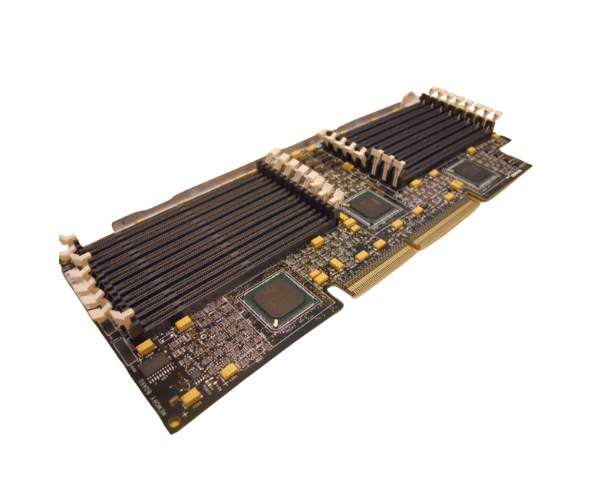
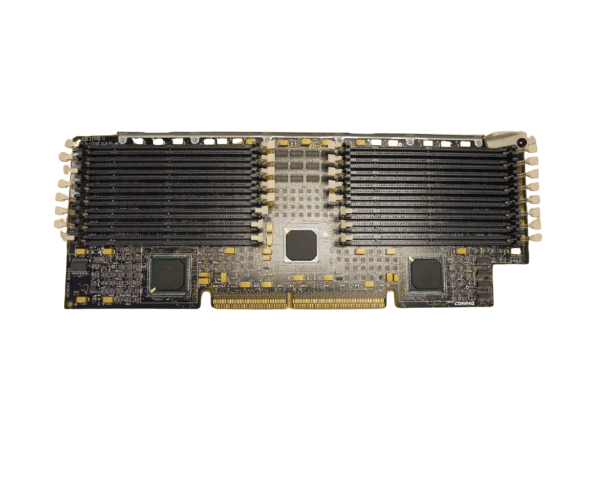
HP 328703-001 EDO Memory Expansion Board
The
HP 328703-001 EDO Memory Expansion Board is a vital upgrade for enhancing memory capacity in compatible HP servers. Designed for reliable and efficient performance, this expansion board leverages Extended Data Out (EDO) technology to boost system speed and responsiveness, making it ideal for demanding computing tasks.
User Experience
The
HP 328703-001 EDO Memory Expansion Boards provides noticeable improvements in server performance for users. By expanding the memory capacity, it enables faster data access and reduces system bottlenecks, making it highly effective for multitasking and running memory-intensive applications. Users report a smoother and more efficient operation of their HP ProLiant servers, thanks to the EDO memory technology, which offers enhanced data throughput compared to conventional SDRAM. The board’s straightforward installation and reliable performance make it a preferred choice for IT professionals seeking to upgrade their server systems.
Why choose the HP 328703-001 EDO Memory Expansions Board?
Choosing the
HP 328703-001 EDO Memory Expansions Board is an excellent decision for enhancing the performance of your HP ProLiant servers. This expansion board supports EDO SDRAM, known for its improved speed and efficiency compared to standard memory types. With up to 64MB of additional memory capacity, the
HP 328703-001 EDO Memory Expansions Board allows your server to handle more simultaneous processes and complex tasks without slowing down.
The
HP 328703-001 EDO Memory Expansions Board is built to meet HP’s high standards for reliability and performance, ensuring long-term stability in your server environment. Its ease of installation and compatibility with a range of HP ProLiant models make it a versatile upgrade solution. By integrating this memory expansion board, you can significantly boost your server's processing power and overall system responsiveness, making it a valuable addition to your IT infrastructure.
Installation Steps
- Power Down the Server: Ensure that the server is completely powered off and unplugged from any electrical sources.
- Remove the Server Cover: Open the server’s chassis to gain access to the motherboard and memory slots.
- Identify the Memory Slots: Locate the available memory slots on the motherboard where the HP 328703-001 EDO Memory Expansion Boards will be installed.
- Insert the expansion board. Align the HP 328703-001 EDO Memory Expansions Board with the memory slots and carefully press it into place until it is securely fitted.
- Secure the Board: If applicable, fasten the expansion board using screws or clips to ensure it is firmly held in position.
- Replace the Server Cover: Close the server chassis and secure the cover with screws.
- Reconnect Power and Restart: Plug the server back into its power source and turn it on. The system should automatically detect the new memory expansion.
- Verify the installation: Check the BIOS or operating system settings to confirm that the additional memory from the HP 328703-001 EDO Memory Expansions Board is recognized and functioning properly.