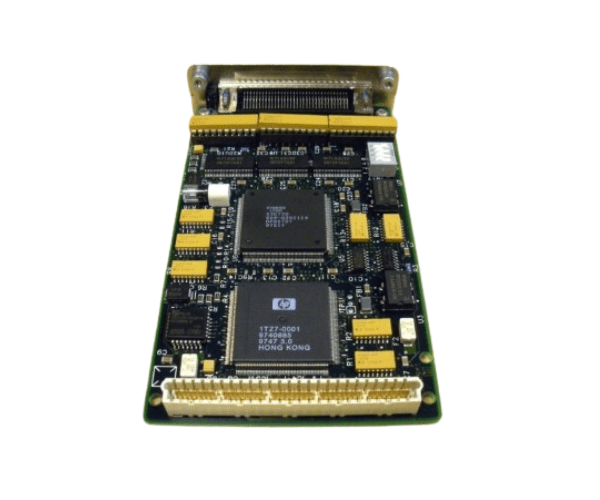
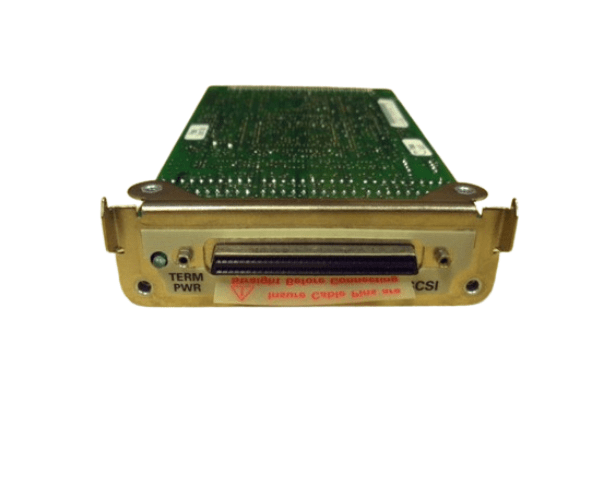
HP A2969A 20MB FAST WIDE DIFF CARD Adapter
The HP A2969A 20MB FAST WIDE DIFF CARD is designed to enhance data transfer rates in HP servers and storage systems. With its Fast Wide SCSI interface, the HP A2969A card provides reliable and high-speed connectivity, making it an ideal choice for efficient data handling and improved system performance.
User Experience
Users report that the HP A2969A FAST WIDE Card significantly enhances data transfer speeds and overall system efficiency. This card is praised for its stability and reliability, which are crucial for handling large volumes of data. The straightforward installation process also adds to the positive user experience.
Why Choose the HP A2969A 20MB FAST WIDE DIFF CARD?
The
HP A2969A FAST WIDE Card is a top choice for anyone seeking improved data transfer rates and reliable SCSI connectivity. Its Fast Wide SCSI interface supports high-speed data transfers up to 20MB/s, ensuring efficient performance in demanding environments. The HP A2969A card is designed for seamless integration with HP servers and storage systems, offering a practical solution for enhanced data handling. By choosing the HP A2969A FAST WIDE Card, you ensure a significant boost in your system's performance and reliability.
Key Features
- High-Speed Data Transfer: Supports transfer rates up to 20MB/s for efficient data handling.
- Fast Wide SCSI Interface: Provides reliable and high-speed connectivity.
- Single Diff SCSI Port: Facilitates connection to a variety of SCSI devices.
- Broad Compatibility: Works with HP servers and storage systems.
- Standard PCI Form Factor: Easy to install in compatible slots.
- Reliable Performance: Ensures stable and efficient data transfer.
Installation Steps
- Power Down the Server: Ensure the server is turned off and disconnected from the power source.
- Open the Server Case: Remove screws or latches to access the internal components.
- Locate the PCI Slot: Identify an available PCI slot on the server motherboard.
- Insert the Card: Carefully insert the HP A2969A FAST WIDE Card into the PCI slot.
- Secure the Card: Fasten the card to the server chassis using the provided screws or latches.
- Connect SCSI Cable: Attach the SCSI cable to the Diff SCSI port on the card.
- Close the Server Case: Replace and secure the server case cover.
- Power Up the Server: Reconnect the power source and turn on the server.
- Install Drivers: Download and install the latest drivers from the HP support website if necessary.
- Configure the Card: Use the server’s management tools to configure the card settings.