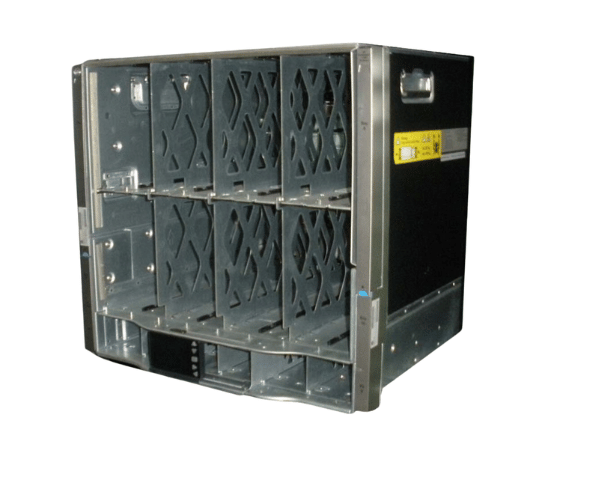
HP 681844-B21 BLc7000 CTO Platinum Enclosure ROHS Expansions
The
HP 681844-B21 BLc7000 CTO Platinum Enclosure ROHS is a versatile and robust blade server enclosure designed to meet the demanding needs of modern data centers. This enclosure supports up to 16 blades, offering high-density computing power and efficient cooling solutions, making it an ideal choice for enterprise environments.
User Experience
Users of the
HP 681844-B21 BLc 7000 CTO Platinum Enclosures ROHS Expansions consistently praise its reliability and scalability. This enclosure is designed to handle the most demanding enterprise applications, with support for up to 16 blades providing high-density computing power in a compact form factor. The Platinum-rated power supplies ensure energy efficiency, while the redundant fan modules provide reliable cooling, preventing overheating even under heavy workloads. Users also appreciate the integrated management features, such as the HP Onboard Administrator, which allows for seamless monitoring and control of the enclosure. Overall, the
HP 68 1844-B21 BLc7000 CTO Platinum Enclosures ROHS offers an exceptional user experience, combining performance, efficiency, and ease of management.
Why Choose the HP 681844-B21 BLc7000 CTO Platinum Enclosure ROHS?
The
HP 681 844-B21 BLc7000 CTO Platinum Enclosures ROHS is the perfect choice for enterprises seeking a high-performance, scalable, and energy-efficient blade server enclosure. This enclosure supports up to 16 blades, making it ideal for data centers that require dense computing power in a compact space. The Platinum-rated power supplies ensure that your data center operates with maximum energy efficiency, while the redundant fan modules provide consistent cooling, preventing overheating and ensuring the longevity of your equipment. Additionally, the
HP 681 844-B21 BLc7000 CTO Platinum Enclosure ROHS is ROHS compliant, making it an environmentally responsible choice for your data center. With integrated management features and robust performance, this enclosure is a smart investment for any enterprise.
Installation Steps
Installing the
HP 681844-B21 BLc7000 CTO Platinum Enclosures ROHS involves the following steps:
- Preparation: Ensure the rack space is prepared and properly grounded.
- Mount the Enclosure: Securely mount the enclosure into the designated 10U rack space using the appropriate hardware.
- Install Blades: Insert the blade servers into the enclosure, ensuring they are correctly seated.
- Connect Power Supplies: Attach the Platinum-rated power supplies to the enclosure and connect them to the power source.
- Connect Network Cables: Attach the necessary network cables to the integrated Ethernet and Fibre Channel ports.
- Power On: Turn on the enclosure and verify that all blades and modules are functioning properly.
- Configure Management Settings: Use the HP Onboard Administrator to configure and manage the enclosure settings.
- Verify Operation: Check that all components are recognized and operational within the system.