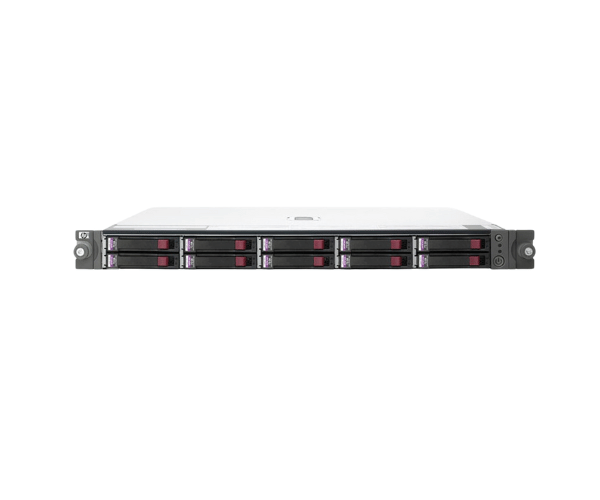
HP 364430-B21 MSA50 10-Bay SFF SAS Expansion Enclosure
The
HP 364430-B21 MSA50 10-Bay SFF SAS Expansion Enclosure is an essential solution for expanding your server’s storage capabilities. With space for up to ten small form factor SAS drives, this enclosure enhances your HP server’s storage capacity, providing scalability and reliability for demanding data applications.
User Experience
Users of the
HP 364 430-B21 MSA50 10-Bay SFF SAS Expansion Enclosure appreciate its robust performance and ease of use. This expansion enclosure is favored for its ability to support up to ten SAS drives, significantly increasing storage capacity. The redundant power supply and hot-swappable fans ensure continuous operation, making it reliable for mission-critical environments. IT administrators value the straightforward installation process and seamless integration with HP Smart Array Controllers, which simplifies storage management and enhances overall server performance.
Why choose the HP 364430-B21 MSA50 10Bay SFF SAS Expansion Enclosure?
The
HP 364430-B21 MSA50 10-Bay SFF SAS Expansions Enclosure is a top choice for expanding storage due to its high capacity and reliable design. It provides space for up to ten SAS drives, allowing for flexible and scalable storage solutions. Its compatibility with HP Smart Array Controllers ensures smooth integration, while features like redundant power supplies and hot-swappable fans enhance its reliability and ease of maintenance.
Choosing the
HP 364430-B21 MSA50 10-Bay SFF SAS Expansions Enclosure means investing in a durable and efficient storage solution that supports demanding data environments. It delivers increased storage capacity and continuous operation, making it ideal for businesses seeking to upgrade their server’s storage capabilities with minimal hassle.
Installation Steps
- Power Down the Server: Ensure that the server connected to the HP 364430-B21 MSA50 10-Bay SFF SAS Expansions Enclosure is completely shut down and unplugged from the power source.
- Rack Mount the Enclosure: Place the HP 364430-B21 MSA50 10-Bay SFF SAS Expansions Enclosure into the server rack or appropriate mounting area.
- Connect SAS Cables: Link the SAS cables from the enclosure to the HP Smart Array Controller in your server.
- Install SAS Drives: Insert your SAS drives into the 10 available bays in the enclosure.
- Power Up the Enclosure: Connect the power cables to the redundant power supplies and ensure they are properly secured.
- Restart the server. Power on the server and verify that the enclosure is detected by the system.
- Configure Storage: Use the HP Smart Array Controller software to configure the new drives and integrate them into your storage setup.
- Verify Operation: Check that the HP 364430-B21 MSA50 10-Bay SFF SAS Expansions Enclosure is functioning correctly and all drives are operational.