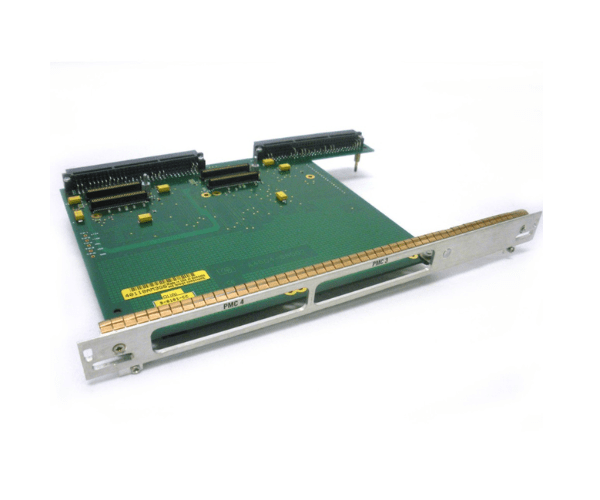
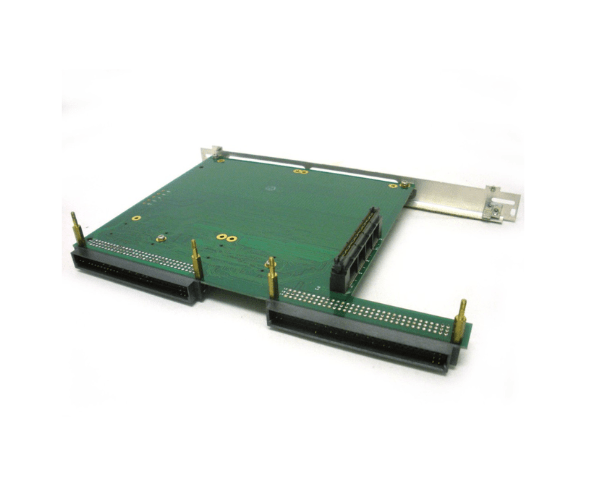
HP A4504-66002 PCM Expansion Adapter A4504A
The HP A4504-66002 PCM Expansion Adapter A4504A is engineered to expand the capabilities of HP systems by providing additional connectivity options. Designed for seamless integration, the HP A4504 PCM Expansion Adapter A4504A ensures that your system can accommodate various peripherals and expansions, enhancing overall performance and flexibility.
User Experience
Users of the HP A4504 PCM Expansion Adapter appreciate its easy installation and immediate functionality. The adapter's plug-and-play design makes it straightforward to integrate into existing systems. The HP A4504 PCM Expansion Adapter A4504A is noted for its reliability in expanding system capabilities without the need for complex configurations, enhancing overall user satisfaction.
Why Choose the HP A4504 PCM Expansion Adapter?
The
HP A4504 PCM Expansion Adapter is a valuable choice for users needing to expand their HP system's connectivity. It offers a seamless way to add new peripherals and components, thanks to its straightforward installation and reliable performance. Choosing the HP PCM Expansion Adapter ensures that your system remains versatile and capable of meeting evolving demands.
Key Features
- Expansion Capability: Provides additional expansion slots for increased system flexibility.
- Compatibility: Designed to work seamlessly with HP systems.
- PCM Interface: Utilizes Peripheral Component Interconnect for easy integration.
- Plug-and-Play Installation: Enables quick and simple setup without complex configurations.
- Reliability: Known for its dependable performance and durability in expanding system functionalities.
Installation Steps
- Power Down the System: Ensure that the HP system is completely powered off before starting the installation.
- Open the System Chassis: Carefully open the chassis to access the internal expansion slots.
- Insert the Adapter: Locate an available PCM slot and insert the HP A4504 PCM Expansion Adapter.
- Secure the Adapter: Make sure the adapter is firmly seated and properly connected.
- Close the Chassis: Reattach the system chassis cover and reconnect any cables that were disconnected.
- Power Up and Configure: Turn on the system and configure the new expansion options as needed.
- Verify Installation: Confirm that the HP A4504 PCM Expansion Adapter is recognized and functioning correctly.