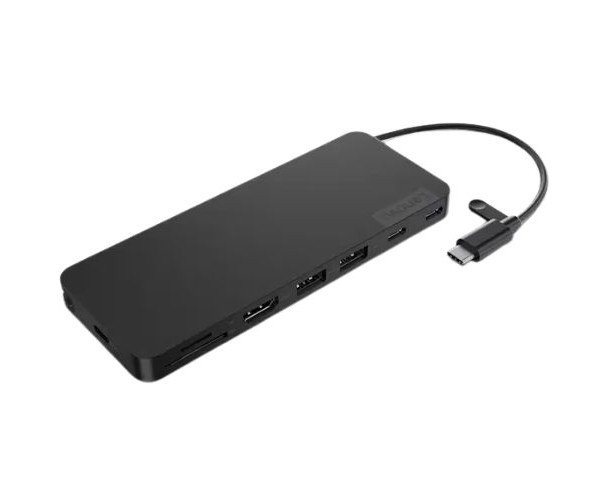
About the Lenovo USB-C 4X11N40213 Slim Docking Station
The Lenovo USB-C 4X11N40213 Slim Travel Docking Station offers a compact, portable solution for connecting multiple devices to your laptop. With USB-C compatibility and a wide range of ports, it enhances productivity on the go, ideal for business professionals and travelers.
Lenovo USB-C 4X11N40213 Slim Travel Dock Station in BD
The Lenovo USB-C 4X11N40213 Slim Travel Docking Station is a very valuable piece of equipment which enables connectivity which modern laptops would require. The portability of its design combined with flexible outputs allows the comprehensive external connectivity of the device. They are best suited for a busy professional, allowing them to extend their work and make their connections simpler for traveling and working remotely.
User Experience
The Lenovo USB-C 4X11N40213 Slim Docking Station is a lifesaver for people working on the go. It's so easy to set up, plug it into your laptop's USB-C port and you're up and running. You can attach numerous screens to display a wide view of your capabilities. Here you have a neat little package that gives you multiple USB 3.0 ports, as well as an HDMI and Ethernet connection to meet all your demands at a distance from the walls. Light-weight item for travel, fits nice in your laptop case. Solid performance, and solid construction- so it will survive the travel test under duress.
Why Choose the Lenovo USB-C 4X11N40213 Slim Travel Docking Station?
The primary consideration for use and adoption of the sleek, beautiful, and portable travel docking station Lenovo USB-C 4X11N40213 would be in the arena of enabling users faster setups to external displays, USB peripherals, and Ethernet connections. A few advantages include that it offers speedy communications with its reliable, speedy USB-C interface, one that is small and fabulous for travel. Such features make it a suitable docking station for being on-site, working at the office or at home, or on the go.
Steps to Install
- Unbox the Lenovo USB-C 4X11N40213 Travel Docking Station.
- Connect the docking station's USB-C end to the laptop.
- Connect an external display via HDMI or VGA.
- Connect keyboards, mice, and storage devices to the USB 3.0 ports.
- If required, connect an RJ-45 cable for a wired internet connection.
- Use the audio jack for speakers or headphones.
- Finally, ensure that your laptop identifies the docking station and all connected peripherals.