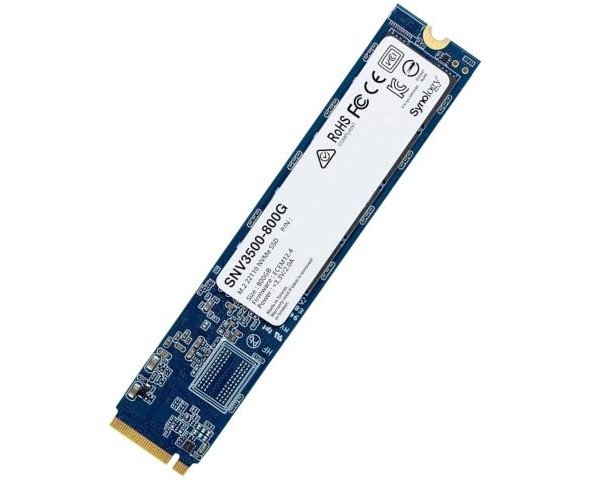
About the Synology Enterprise SNV3500-800G 800 GB M.2 NVMe Internal SSD
The Synology Enterprise SNV3500-800G 800GB M.2 NVMe Internal SSD offers high-speed storage built for intensive workloads. It's designed for Synology NAS systems, delivering consistent performance, data protection, and long-term durability for enterprise environments.
Synology Enterprise SNV3500-800G 800GB M.2 NVMe Internal SSD in BD
The Synology Enterprise SNV3500-800G 800GB NVMe Internal SSD is meant for specific application in Synology NAS installations, which need high speed and constant cache acceleration. It has been made to have high endurance and has been optimized for the Synology DiskStation Manager (DSM) for high output as well as reliability in high-priority business environments.
User Experience
Upgrading their Synology NAS with the Synology Enterprise SNV3500-800G 800GB Internal SSD has proven beneficial to the users as it has unlocked a great performance improvement in specific read/write applications. Be it virtual machines, indexing files in real time, or running databases, everything runs a little better. The drive adds real improvements in terms of latency and gives the system better end-user responsiveness. Installing the product is an easy process, and it fully interfaces with DSM for the greatest quickness of setup and monitoring. Businesses will appreciate the durability and the solid security that caching affords their data because their operations will not be compromised.
Why Choose the Synology Enterprise SNV3500-800G 800GB M.2 NVMe Internal SSD?
This Synology Enterprise SNV3500-800G 800 GB M.2 NVMe Internal SSD is the choice for performance together with peace of mind because it is rated for high endurance and also brings forth very fast read and write specifications. With that, businesses get exactly what they need for their intensive workloads. This SSD is specifically designed for Synology NAS systems, meaning perfect compatibility and smooth operation overall. Further, it supports consistent caching, improving response time, yet durability is long-term. The Synology Enterprise SNV3500-800G 800GB NVMe Internal SSD is perfect for growing companies looking for reliable and high-speed storage. With Synology’s trusted name behind it, you can be sure you’re making the right investment.
Installation Steps
- Power off your Synology NAS device.
- Identify the M.2 NVMe slot inside your NAS (see your NAS model's user manual).
- Insert the Synology Enterprise SNV3500-800G 800GB SSD into the slot gently.
- Secure the SSD with the provided screw.
- Power on your NAS and access Synology DiskStation Manager (DSM).
- Go to Storage Manager SSD Cache, and initialize the SSD.
- Create a read-write or read-only cache depending on your workload.
- Begin reaping the rewards of improved system performance.