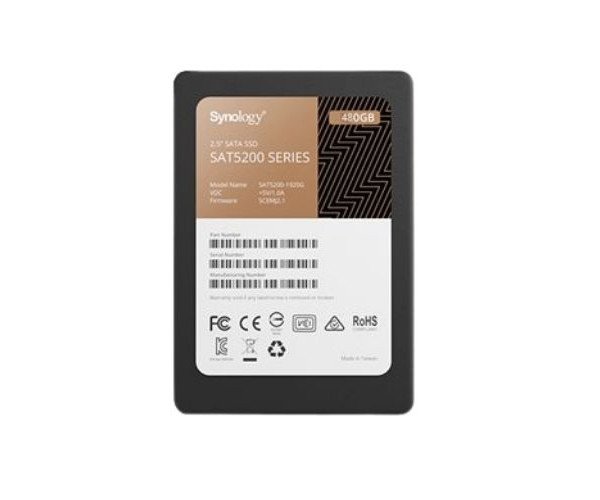
About the Synology Enterprise SAT5200-480G 480 GB 2.5" SATA SSD
The Synology Enterprise SAT5200-480G 480GB 2.5" SATA SSD delivers fast, reliable, and consistent performance for heavy workloads. It is built to handle enterprise-level storage needs, offering great endurance, low latency, and seamless integration with Synology NAS systems.
Synology Enterprise SAT5200-480G 480GB 2.5" SATA SSD in BD
The Synology Enterprise SAT5200-480G 480GB 2.5" SSD is built for storing data at high speeds in an enterprise environment. That is, with fast read and write speeds, excellent durability, and reliable operation, it comes fully posed for Synology NAS units. It would be the correct decision for any business that looks for stability and speed.
User Experience
Using the drive Synology Enterprise SAT5200-480G 480GB 2.5" SSD has always been as smooth as time could tell, quick to boot, churning out daily read and write performance very well with outstanding consistency for file transfers coupled with heavy workloads. Lag significantly reduced in virtual machines and backups done faster. You can do anything with it: whether file server, media storage, or virtualization, this drive handles everything easily. It's plugged into Synology DSM, so users will enjoy even more advanced features like wear leveling and real-time monitoring. Truly a plug-and-play performance upgrade.
Why Choose the Synology Enterprise SAT5200-480G 480GB 2.5" SATA SSD?
Thus buying the Synology Enterprise SAT5200-480G 480GB 2.5" SSD will in reality be buying speed, paired with stability, reliability, and robust work. Built for Synology systems, this SSD, thus, features awesome reliability in compatibility and high-endurance operation. A 1.3 DWPD and over 1,000 TBW makes it capable of standing a massive workload without breaking a sweat. It is capable of delivering superior IOPS, thus making it great for virtualization, intensive databases, and large file handling. The smooth integration into Synology DiskStation Manager adds intelligent monitoring and data protection features, making your system foster reliability. Thus for a top performance with the peace of mind it offers, Synology Enterprise SAT5200-480G 480GB SSD is the best choice.
Installation Steps
- Power off your Synology NAS unit.
- Open the borrowing bay and remove the actual drive (if replacing).
- Mount the Synology Enterprise SAT5200-480G 480GB 2.5" SSD into the drive tray.
- Secure the SSD with screws or brackets (as required).
- Slide the tray back into the NAS and close the borrowing bay.
- Power on your NAS system.
- Open Synology DSM and initialize the SSD through Storage Manager.
- Setup volume or cache depending on your usage.