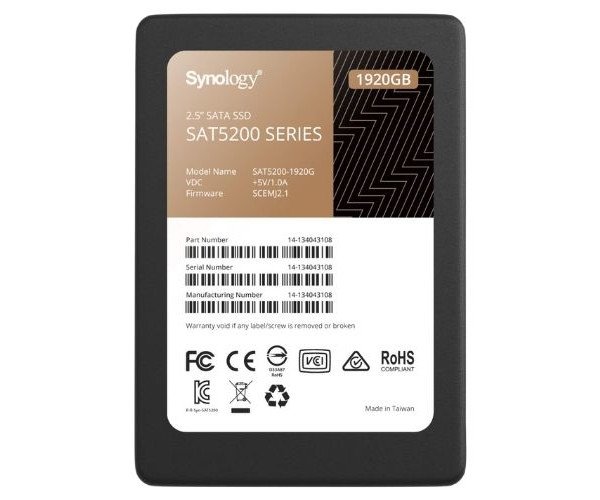
About the Synology Enterprise SAT5200-1920G 1.92 TB 2.5" SATA SSD
The Synology Enterprise SAT5200-1920G 1.92TB 2.5" SATA SSD is a high-performance storage drive designed for enterprise use. It delivers fast data transfer, excellent reliability, and long-lasting performance for heavy workloads and large-scale systems.
Synology Enterprise SAT5200-1920G 1.92TB 2.5" SATA SSD in BD
The Synology Enterprise SAT5200-1920G 1.92 TB 2.5" SATA SSD is designed specifically for high-demand business environments. Super-fast output of secure and stable data storage is provided in servers, NAS systems, and data centers. Read/write speeds are reliable at a high endurance rating to take stress workloads easily.
User Experience
Users that have installed the Synology Enterprise SAT5200-1920G 1.92TB 2.5" SSD on their servers or Synology NAS systems feel an immediate and huge difference regarding speed and performance. Everything from file transfers to backup runs a lot faster, and multi-user access becomes better. The SSD is cool and silent-running, even when subjected to lengthy periods of use. Because it has a high TBW rating, users trust that they can put precious data on their SSDs without the fear of early death. Whether for file server, database system, or virtualization deployment, it gives assurance and better uptime in the system. It's plug-and-play and works perfectly with Synology DiskStation Manager.
Why Choose Synology Enterprise SAT5200-1920G 1.92TB 2.5" SATA SSD?
Opting to install this Synology Enterprise SAT5200-1920G 1.92TB 2.5" SSD means opting for high speed, not believing it can fail, and sleep-in-peace installation. Built for enterprise systems, it's fully engineered for 24/7 operation. Such speeds and high endurance make this SSD a great option for file servers, virtual machines, and business-critical applications on it. The size does fit in well within great data storage requirements at 1.92 TB. Tested against the Synology NAS, this SSD ensures utterly seamless operation. Power loss protection is also total in the SAT5200 series coupled with real-time health monitoring via DSM. The Synology Enterprise SAT5200-1920G 1.92TB SSD is your smart choice when you need trusted storage.
Installation Steps
- Switch off your NAS or server device.
- Access the chassis or the drive tray.
- Insert the Synology Enterprise SAT5200-1920G 1.92TB 2.5" SSD into a 2.5" bay.
- Connect the SATA power and data cables (if not a tool-free tray).
- Close the chassis or tray and power on the device.
- Now, log in to Synology DSM or server OS and go to storage manager.
- Format the SSD and create a storage volume as needed.
- Start using the SSD for data storage or system applications.