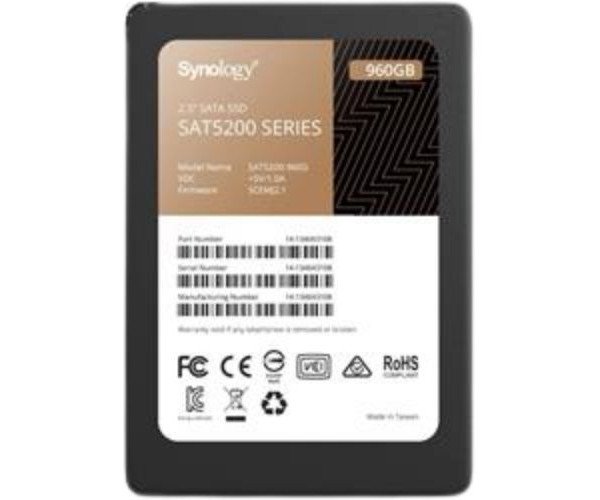
About the Synology Enterprise SAT5200-960G 960 GB 2.5" SATA SSD
The Synology Enterprise SAT5200-960G 960GB 2.5" SATA SSD is a high-performance solid-state drive designed for business and enterprise use. It offers stable data transfer, long-term durability, and seamless integration with Synology systems for smooth and reliable operations.
Synology Enterprise SAT5200-960G 960GB 2.5" SATA SSD in BD
The Synology Enterprise SAT5200-960G 960GB 2.5" SSD is for professionals needing powerful optimum performance, high endurance, and a dependable storage device. It is designed for Synology systems fitting into 2.5-inch bays, giving out super-fast speeds with robust reliability, especially in situations with multiple users or virtualized workloads.
User Experience
The
Synology Enterprise SAT5200-960G 960GB 2.5" SSD is a worthy upgrade from standard drives. Super-fast for big file transfers and tiny random reads, especially for database work with numerous users-an SSD that refuses to slow down at anything. Silent, cool, and snug in the Synology NAS. Zero lag in booting an application or accessing stored data. The enterprise-grade endurance and consistent performance seal the deal for these drives as helping a user sleep easy about long-term storage reliability and system uptime.
Why Choose the Synology Enterprise SAT5200-960G 960 GB 2.5" SATA SSD?
- Here are some reasons why the Synology Enterprise SAT5200-960G 960GB 2.5" SATA SSD is the right one for you:
- Enterprise Class Endurance: At 1,100 TBW, this is really top-of-class, even in the most punishing of workloads.
- Synology NAS-Optimized: It has modified firmware for its full compatibility to ensure maximum performance and stability in Synology systems.
- Fast and Reliable: Up to 530MB/s read and 500MB/s write speeds can facilitate the smooth day-to-day functioning of operations.
- Data Protection: It has power loss protection and advanced error correction to help safeguard your valuable data.
- Low Power, High Efficiency: Essentially, it has been built for efficiency at a very low power consumption level.
Installation Steps
- Power Down the Device: Switch off Synology NAS or computer before any installation.
- Open the Case: Carefully remove the case or drive tray onto which the SSD shall be mounted.
- Mount the SSD: Insert the Synology Enterprise SAT5200-960G 960GB 2.5" SSD into the 2.5-inch bay or tray.
- SATA Connection: Securely connect the SATA data and power cables.
- Assemble the Device: Replace all covers and close the case or tray.
- Power the Device On: Switch on and access the Synology DSM or OS.
- Formatting and Configuration: Init the SSD, format it if required, and assign storage tasks through the system settings.